
For fleets of 20+, choose a multi-camera video-telematics system with cloud access, GPS-tagged events, GDPR controls and a managed deployment. Start with a 6–12 vehicle pilot, validate ROI (claims reduction + operational savings), then scale in 3–6 month waves.
Two minutes into a Monday morning you’re juggling a collision report, a FORS audit and a driver worried about privacy. Without timely footage you lose leverage with insurers and the driver relations issue gets political fast. Large fleets don’t need more gadgets – they need a strategy that reduces claims, passes compliance checks and protects drivers.
Common operator frustrations:
This guide gives an operator-first shortlist, a procurement-ready checklist, a wave-based rollout plan and clear risk controls so you can run a low-risk pilot and scale with confidence.
Fleet camera systems are vehicle-mounted cameras (front, rear, side, driver) paired with a recording unit and software that stores, tags and streams video for safety, claims and compliance. They range from single dashcams to full multi-camera, cloud-enabled video-telematics platforms.
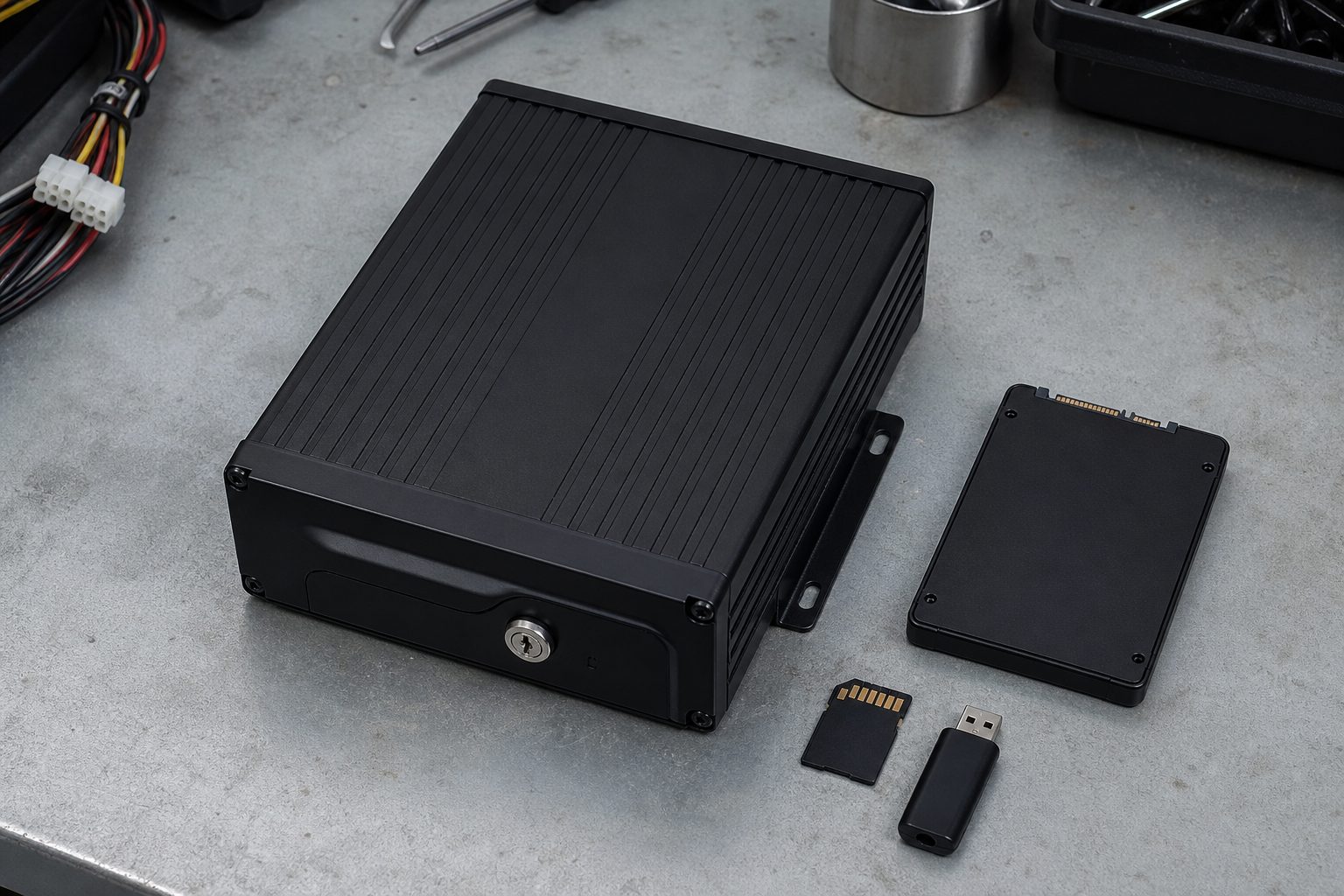
Core elements: cameras (front/side/rear/driver), DVR/NVR or edge unit, connectivity (LTE/Wi-Fi), local SD or cloud storage, and a management platform with search/export.
Product classes:
| System class | Best for |
|---|---|
| Single dashcam | Small proof-of-evidence use; lowest cost |
| Dual-cam | Driver coaching + road evidence |
| Multi-camera | Claims-heavy urban fleets and mixed HGV work |
| Integrated platform | 50+ vehicles, API needs, central compliance |
Low-light sensors (e.g. STARVIS-type) amplify scene detail; IR illuminators light internal cabins. IR is good for interior close-range but can wash licence plates or cause glare externally; premium optics and higher bitrate improve licence-plate capture at night.
Common AI features include collision detection, harsh driving, near-miss alerts and driver distraction/fatigue monitoring. AI reduces review volume but produces false positives – tune thresholds and keep a human-in-the-loop for verification.
LTE-enabled units can stream and notify in near real-time; Wi-Fi-only units wait until a hotspot is available. Recommended approach: low-res continuous + HD incident upload to control costs.
Look for tamper-evident timestamps, signed hashes or secure audit logs – these improve admissibility in claims or prosecutions.
For fleets of 20+, vendor selection is a balance between coverage (how many cameras each vehicle has), cloud capability, integration with your telematics, ongoing data cost and the admin burden of reviewing alerts. Single dashcams minimise capital cost but push admin overhead into manual evidence retrieval. Multi-camera, LTE-enabled video-telematics platforms give remote access and faster exoneration but require monthly data and stronger privacy controls.
Use the table below as a procurement template. Verify model names, prices and compatibility before procurement and mark “Verified as of [DATE]” with source links.
| System / Vendor | System class | Key cameras per vehicle | Storage model | Connectivity | AI / event features | FORS/DVS/GDPR support | Integration | Avg hardware cost per vehicle | Monthly subscription per vehicle | Typical install time (hrs) | Best fit | Notes / Known limitations |
|---|---|---|---|---|---|---|---|---|---|---|---|---|
| Vendor A – Model/Platform [Verified as of DATE] | Multi-camera | Front + Driver + Left + Right + Rear | Hybrid (event upload + local SD) | Cellular (LTE) / Wi-Fi | Collision, Driver DMS, AI coaching | FORS toolkit, DVS reporting, GDPR controls | Yes (API / telematics) | £700–£1,200 | £20–£40 | 1.5–3 | Urban delivery / HGV | Separate cellular & cloud billing in some regions |
| Vendor B – Model/Platform [Verified as of DATE] | Dual-cam / cloud | Front + Driver | Cloud-first | Cellular (LTE) | Event upload, driver score | GDPR templates, retention controls | Limited / third-party integration | £300–£600 | £10–£25 | 1–2 | Service vans, passenger | Lower-quality side coverage; some false alerts |
| Vendor C – Model/Platform [Verified as of DATE] | 360° / bird’s-eye | Full surround (4–6 cams) | On-device + optional cloud | Wi-Fi / Offline | Obstacle detection, parking mode | GDPR guidance provided | API available | £1,000–£1,800 | £5–£30 | 2–4 | HGV, construction | Heavy install; 1080p limitations on multiplexers |
| Vendor D – Model/Platform [Verified as of DATE] | Integrated video-telematics | Configurable (2–5 cams) | Cloud (fleet console) | Cellular / Wi-Fi | AI events, analytics, compliance reports | FORS/DVS reporting modules | Full telematics suite | £600–£1,400 | £25–£50 | 1.5–3 | 50+ mixed fleets | Higher admin time without triage rules |
| Vendor E – Model/Platform [Verified as of DATE] | Dual / budget | Front + Rear | On-device with optional cloud | Wi-Fi only | Basic event lock | GDPR guidance limited | Minimal API | £150–£400 | £0–£12 | 0.5–1 | Small fleets, budget pilots | Manual retrieval; hotspots needed for uploads |
| Vendor F – Model/Platform [Verified as of DATE] | Enterprise platform | Custom (front/side/cabin/rear) | Hybrid / long retention | Cellular / Wi-Fi | Advanced analytics, API & integrations | FORS & DVS modules, GDPR toolkits | Yes – deep ERP/AMS integration | £900–£2,000 | £30–£70 | 2–4 | 100+ fleets, multi-national | Longer sales & onboarding cycle |
Quick decision matrix (Cost vs Coverage):
Cameras reduce claim time and improve exoneration – results vary by rollout quality and policies. Faster exoneration: footage reduces evidence retrieval time from days to hours in LTE/cloud-enabled systems. ROI payback often falls within 6–18 months depending on incident frequency and subscription costs.
Baseline problem: frequent low-speed collisions, disputed third-party claims. Solution: Multi-camera (front + driver + rear), hybrid storage, LTE on high-risk vehicles. Deployment: 6-week pilot, then roll in waves. Example outcome: claims reduced and average time-to-evidence cut from 72h to under 6h – payback approximately 9 months.
Baseline problem: cross-county incidents and high admin time for evidence export. Solution: Integrated video-telematics with fleet console and API to TMS. Deployment: 3-month rollout in waves. Example outcome: reduced admin time per incident, insurer disputes fell, ROI approximately 12 months.
Baseline problem: complex incidents involving multiple vehicles and drivers. Solution: Enterprise platform, 4–6 cams per vehicle, long retention, legal export features. Deployment: 6–9 months onboarding with dedicated rollout team. Example outcome: faster forensic review, reduced liability payouts, multi-site standardisation benefits.
| Fleet size | Recommended approach |
|---|---|
| 20–49 vehicles | Pilot-first. Minimum: front + driver, cloud event storage, clear GDPR policy. |
| 50–99 vehicles | Standardise multi-cam on high-risk vehicles; central admin console and telematics integration. |
| 100+ vehicles | Enterprise-grade platform, API integration, dedicated rollout, and custom retention. |
| Fleet profile | Must-haves | Nice-to-have |
|---|---|---|
| Urban last-mile | Multi-cam (front/rear/side), parking-mode, fast upload | Door/cargo cams |
| Construction/Plant | 360° or side coverage, heavy-duty housings | High-temp rated devices |
| Long-haul | Front + driver, LTE for live view | Satellite fallback for remote areas |
| Municipal/Passenger | Driver-facing cabin cams (with DPIA), privacy masking | Audio capture controls |
Budget thresholds (illustrative): Pilot unit cost £150–£1,000 per vehicle (hardware). Monthly data/subscription £5–£70 per vehicle. Two-year TCO must include hardware, installation, cellular, storage, admin time and spare parts.
| Risk | Mitigation | Red flag |
|---|---|---|
| GDPR & privacy (driver-facing cams) | Complete a DPIA; document lawful basis, retention schedule, restricted access and anonymisation for non-incident footage. | No DPIA or vague retention policy. |
| Driver acceptance & labour relations | Early engagement, written policy, union consultation, transparent access logs and positive coaching-first approach. | Surprise installs or secretive use of live view. |
| False positives / alert fatigue | Tune AI thresholds, use human triage queues, set severity tiers and notification rules. | Operators receiving hundreds of low-value alerts per week. |
| Data costs & storage | Hybrid storage, event-only uploads, low-res continuous + HD on request, cap monthly data. | Separate cellular & cloud billing with unpredictable overages. |
| Installation downtime | Staggered waves, mobile installers, overnight installs, swap strategy. | Taking vehicles out of service for full days during rollout. |
| Forensic admissibility | Require tamper-evident timestamps, audit logs, hashed exports and legal review of export formats. | Vendor cannot provide signed export or chain-of-custody metadata. |
| Hardware failure & maintenance | SLA with replacements, local spare pool, remote health monitoring. | Long RMAs and overseas-only repair shipping. |
Red flag: separate cellular and cloud contracts – you could pay twice for the same connectivity.
Practical tip: pilot with drivers and unions present to build trust, not after installs.
Quarterly review: update KPIs, TCO, data usage and vendor performance. Collect ROI metrics and adjust retention and alerting rules to reduce admin time.
| Myth | Operator truth | Tip |
|---|---|---|
| “Cameras alone will stop all accidents.” | Cameras document events and support coaching; they don’t actively intervene. | Combine cameras with driver coaching and ADAS for prevention. |
| “Driver-facing cams are illegal.” | Legal if covered by DPIA, lawful basis and limited access. | Use masking and retention limits; consult legal first. |
| “AI means zero human review.” | AI triages volume; human verification is still required for decisions. | Implement human-in-the-loop review for high-severity alerts. |
| “Cloud storage guarantees footage is safe.” | Upload delays, outages and vendor failures happen. | Require hybrid options and export rights in contract. |
| “Higher upfront cost always buys better cloud.” | Expensive hardware can still have poor cloud or support. | Validate cloud features in pilot before scaling. |
| “Plug-and-play power is fine for parking mode.” | Cigarette lighter often disables with ignition; parking mode needs hardwire/OBD or battery pack. | Specify parking-mode power draw and voltage cutoffs in RFP. |
Start with objectives (claims reduction, compliance), run a 6–8 week pilot covering mixed vehicle types, validate data usage and admin time, complete DPIA and union consult, then scale in 10–20 vehicle waves while monitoring KPIs.
Start small, prove value, then standardise.
If you manage a 20+ vehicle fleet, start with a six-vehicle pilot. Download our Pilot Plan & RFP checklist to run a measured trial – no vendor lock-in.
For 20 vehicles start with a 6–12 vehicle pilot using multi-cam on highest-risk vehicles; dual-cam can be used for lower-risk vehicles. Match retention and GDPR policies to your needs.
Yes, if you complete a DPIA, document lawful basis (legitimate interest/safety), limit access and retention, and consult staff or unions.
Retention varies; non-incident footage is often 7–30 days, incidents 90–540 days depending on regulator and legal holds.
Many fleets see premium reductions, but outcomes depend on insurer and claims history – request insurer pilot agreements and document savings.
Typical hardware ranges £150–£2,000; subscriptions £5–£70/month per vehicle depending on coverage and analytics.
Most enterprise systems offer APIs or native integrations – verify API endpoints and data export formats during procurement.
Run a DPIA, prepare a clear policy, limit access, anonymise non-incident footage and consult unions/staff before installs.
Data use varies by upload policy; event-only HD upload reduces bills versus continuous HD streaming – collect pilot GB/week per vehicle.
Typical installs are 0.5–4 hours depending on number of cameras and complexity; enterprise installs often use mobile teams to reduce downtime.
ROI typically ranges 6–18 months depending on incident frequency, subscription costs and admin savings.
Hybrid solutions balance immediate remote access with local fallbacks; choose cloud if you need instant exoneration and remote live view.
Engage early, share DPIA and policy drafts, invite reps to pilot reviews and document agreements in writing.
A print-ready PDF checklist covering all five rollout phases – governance, pilot, procurement, installation and ongoing ops. Includes the vendor scoring matrix and key red flags.
Tell us what vehicles you run and what you need — we will come back with a recommendation and a price. Prefer to talk? Call 01656 721871.
Related guides: Understanding Truck Camera Mounting Options · Camera Systems for Articulated Trailers – An Operator’s Guide
4 August 2026
Monday to Friday:
8.30am-5.30pm

