
A vehicle is involved in a third-party collision on a Thursday morning. The MDVR was recording. The G-sensor triggered and locked the footage. The transport manager knows the footage is there. The insurer is asking for it. The vehicle is on a return run and will not be back at depot until Saturday.
This is the scenario that separates connected MDVR systems from non-connected ones, and it is the scenario where fleet managers who have not thought through their footage retrieval process find themselves unable to produce evidence that they technically possess. The footage is on the vehicle. Getting it to the insurer requires either that the vehicle returns, or that the system supports remote download.
This guide covers both retrieval paths — connected platform download and physical extraction — along with what the footage needs to look like when it reaches the insurer, and the mistakes that compromise its evidential value.
On a connected MDVR system with 4G, footage retrieval does not require the vehicle to return to depot. The transport manager logs into the fleet management platform, navigates to the vehicle and the relevant time period, and requests the footage segment. The MDVR uploads the requested clip over 4G to the platform’s cloud storage. The transport manager can then download the clip from the platform and submit it to the insurer.
For G-sensor triggered events, the clip is typically already uploaded automatically — the event trigger fires, the clip is protected and transmitted, and it appears in the platform’s event log within minutes of the incident. In this scenario, the transport manager already has the footage before the insurer has been notified. This is the correct operational outcome for incident management: evidence in hand before the claim process begins.
For incidents that did not trigger the G-sensor — a near-miss, a disputed lane position, a footage request from a third party — the transport manager requests the specific time window and camera position from the platform. The MDVR transmits the segment when the vehicle is in 4G coverage. If the vehicle is in a dead zone or powered down, the request queues and the upload occurs when connectivity is restored.
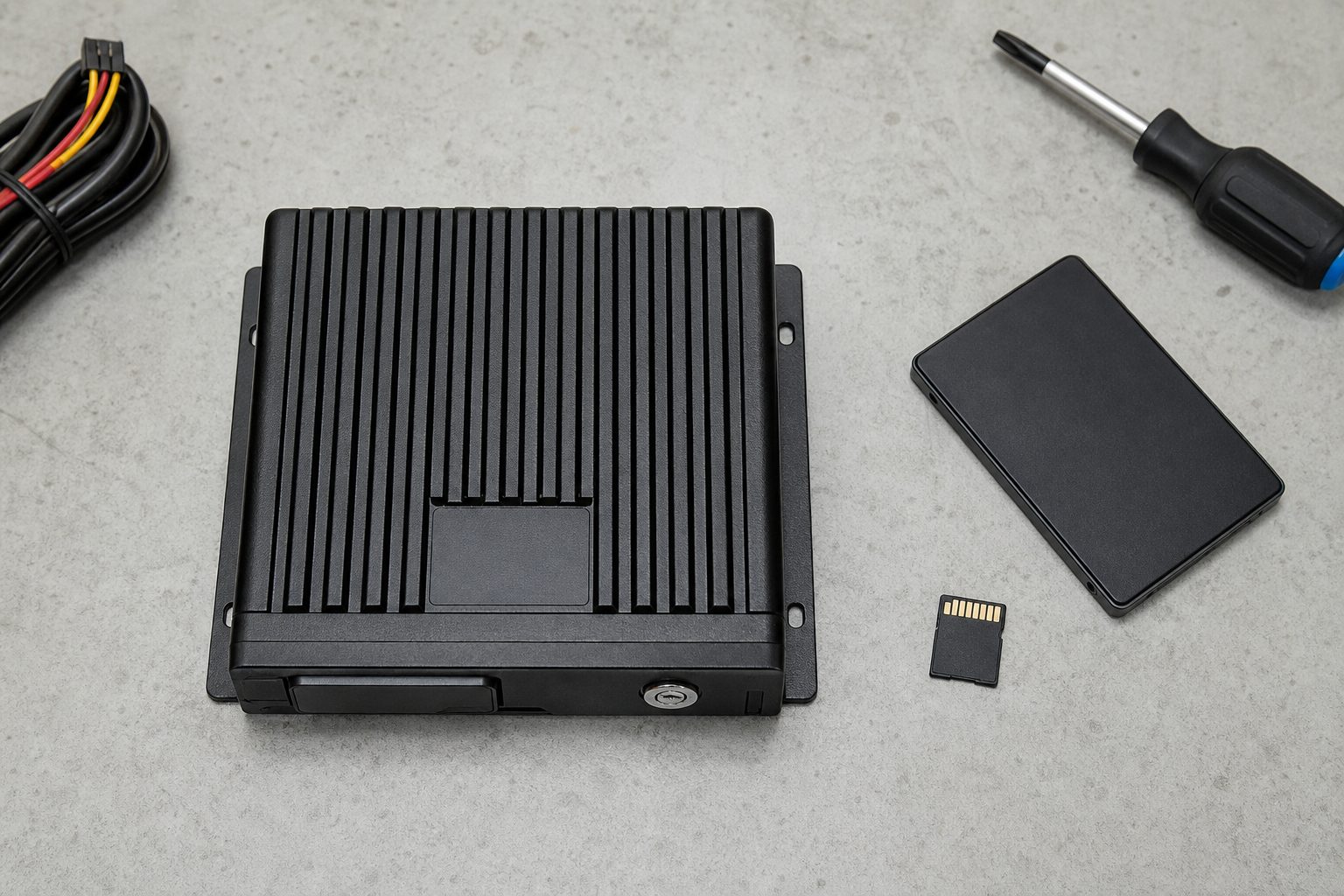
On a non-connected system, retrieval requires physical access to the MDVR’s storage. The process depends on the storage type:
Removable SD card: The SD card is removed from the MDVR (or from an accessible slot), read on a computer using a card reader, and the relevant footage file is copied. Most MDVR systems organise footage files by date and camera channel. The G-sensor event folder — typically labelled “Event” or “Emergency” — contains the locked footage segments. These should be copied first.
Internal HDD: The MDVR unit connects to a computer via USB, or the HDD is removed from the unit and connected directly. MDVR footage files are typically in MP4 or AVI format and can be reviewed with standard video players. The relevant segment is identified by timestamp and copied.
For both storage types: do not format or clear the storage before the claim is resolved. The original file on the storage device is the primary evidence record. Copies are working copies; the original is what matters for chain of custody.
A question that comes up regularly when fleet managers are submitting footage to insurers for the first time is what format the insurer expects and what they can do to make the footage more useful. The practical guidance:
File format: MP4 is the universal standard and the format that most MDVR systems record in. If your system records in a proprietary format (some older MDVRs use AVI or DAV files), check whether the insurer’s portal accepts it before submitting. If not, use the MDVR’s companion software to export to MP4. Do not use consumer video editors for this — they can alter metadata.
Do not edit the footage. Submit the original clip as recorded. Do not trim, crop, add narration, apply filters, or add text overlays. Any alteration to the original file risks the footage being challenged on admissibility grounds. If the original clip contains more context than the incident itself, that context is evidentially useful — submit it complete.
GPS data overlay: If your MDVR records GPS data, the speed and location overlay on the footage is part of the evidence — it shows where the vehicle was and how fast it was travelling. Submit footage with the GPS overlay visible if the platform supports it. If not, include the GPS data log as a separate file alongside the video.
Multiple camera angles: Submit footage from all relevant camera positions. A rear-end impact, for example, benefits from the forward-facing camera (road conditions, traffic ahead), the rear camera (the impact from behind), and the driver-facing camera (driver state at moment of impact, if fitted). Multi-angle evidence gives the insurer and any appointed investigators a complete picture.
Fleet managers sometimes ask whether they need to do anything special to establish that footage has not been tampered with. The answer is that the chain of custody for MDVR footage is established primarily by the recording system itself — the footage carries timestamps, GPS data, and is written to a tamper-evident storage device by the MDVR. The evidentiary challenge is more commonly about ensuring the original file has not been altered after extraction than about proving it was recorded correctly.
Practical steps that protect the chain of custody:
Do not edit the original file. Work from copies for any internal review. Keep the original file untouched.
Document the extraction process. Note who extracted the footage, from which device, at what time, and that the original storage has not been erased. A brief written note at the time of extraction is sufficient.
Submit via the insurer’s official channel. Most insurers now have secure portals for evidence submission. Email with attachments is acceptable for many, but a secure upload is preferable — it creates a timestamped submission record.
Retain the storage until the claim is resolved. Do not clear the MDVR drive, format the SD card, or swap out the storage until the insurer confirms the claim is closed. The original recording on the device is the primary evidence record throughout the claim lifecycle.
Sharing footage with an insurer or legal representative involves disclosing data about identifiable individuals — the driver, third parties involved in the incident, and potentially passengers. UK GDPR applies to this disclosure.
The practical guidance for fleet operators is that sharing footage with your insurer in connection with a claim you are party to is generally defensible under legitimate interest grounds — you have a genuine legal and financial interest in the claim outcome, and sharing the relevant footage is proportionate to that interest. The footage should be limited to what is relevant to the claim: do not share an entire day’s recording when a 2-minute clip covers the incident.
Sharing footage with the police in connection with a reported incident is covered by the law enforcement disclosure provisions in UK GDPR and does not require the same justification as commercial disclosure. A formal police request takes priority over other considerations.
Sharing footage publicly — on social media, in press statements, or in any forum where it will be visible to people not party to the claim — is a different matter and requires specific legal advice before proceeding.
Waiting too long to extract. Non-connected MDVRs loop-record over older footage. If the vehicle continues operating after an incident without the relevant footage being extracted or protected, the loop recording can overwrite it. For a non-connected system, footage extraction should happen on the same day as the incident wherever possible.
Only extracting the event clip, not the preceding context. G-sensor event clips are typically 30–90 seconds. The road conditions, traffic, and driver behaviour in the 5–10 minutes before the incident are often relevant. For serious incidents, request or extract a longer window than the event clip alone.
Formatting the storage device. Formatting destroys the complete recording history. Even if you have extracted the specific incident footage, do not format the drive until the claim is fully closed. The insurer or their investigators may request additional footage after initial submission.
Submitting footage without GPS data. If your MDVR records GPS, the speed and location data is a material part of the evidence. Submitting video without the accompanying GPS record leaves a gap in the story that the insurer will notice and may ask about.
On a connected 4G MDVR, log into the fleet management platform, select the vehicle and relevant time period, and request the footage segment. The MDVR uploads the clip over 4G. On a non-connected system, physical access to the vehicle is required — either the vehicle returns, or a driver manually extracts the SD card and sends it to depot.
Depends on the storage capacity and number of camera channels. A 1TB HDD at 4-channel standard definition retains approximately 14–21 days. If you have a smaller SD card system, the loop cycle may be 2–5 days. Extract or protect footage as quickly as possible after the incident — do not assume it will still be there a week later.
MP4 is universally accepted. If your MDVR records in a proprietary format, export to MP4 using the MDVR’s companion software. Do not use general-purpose video editors, as they may strip or alter metadata. Submit the original unedited file.
Insurers can request additional evidence during the claims process. If the vehicle has a connected MDVR, the insurer may ask for footage from additional camera positions or a longer time window than initially submitted. Retain all original recordings until the claim is fully closed.
Yes, in the vast majority of cases. Even footage that does not show the incident directly can establish route, speed, road conditions, and driver behaviour before the event. The exception is footage that shows the fleet vehicle at fault — but this is still useful for limiting exposure and settling quickly rather than allowing a disputed claim to run. Withholding footage that exists and is discoverable carries significant legal risk.
A step-by-step checklist for downloading and submitting fleet camera footage to an insurer — covering connected MDVR download, physical SD/HDD extraction, and chain of custody.
Tell us what vehicles you run and what you need — we will come back with a recommendation and a price. Prefer to talk? Call 01656 721871.
Related guides: How MDVR GPS Tracking Works · Common MDVR Errors and How to Fix Them
4 August 2026
Monday to Friday:
8.30am-5.30pm

