
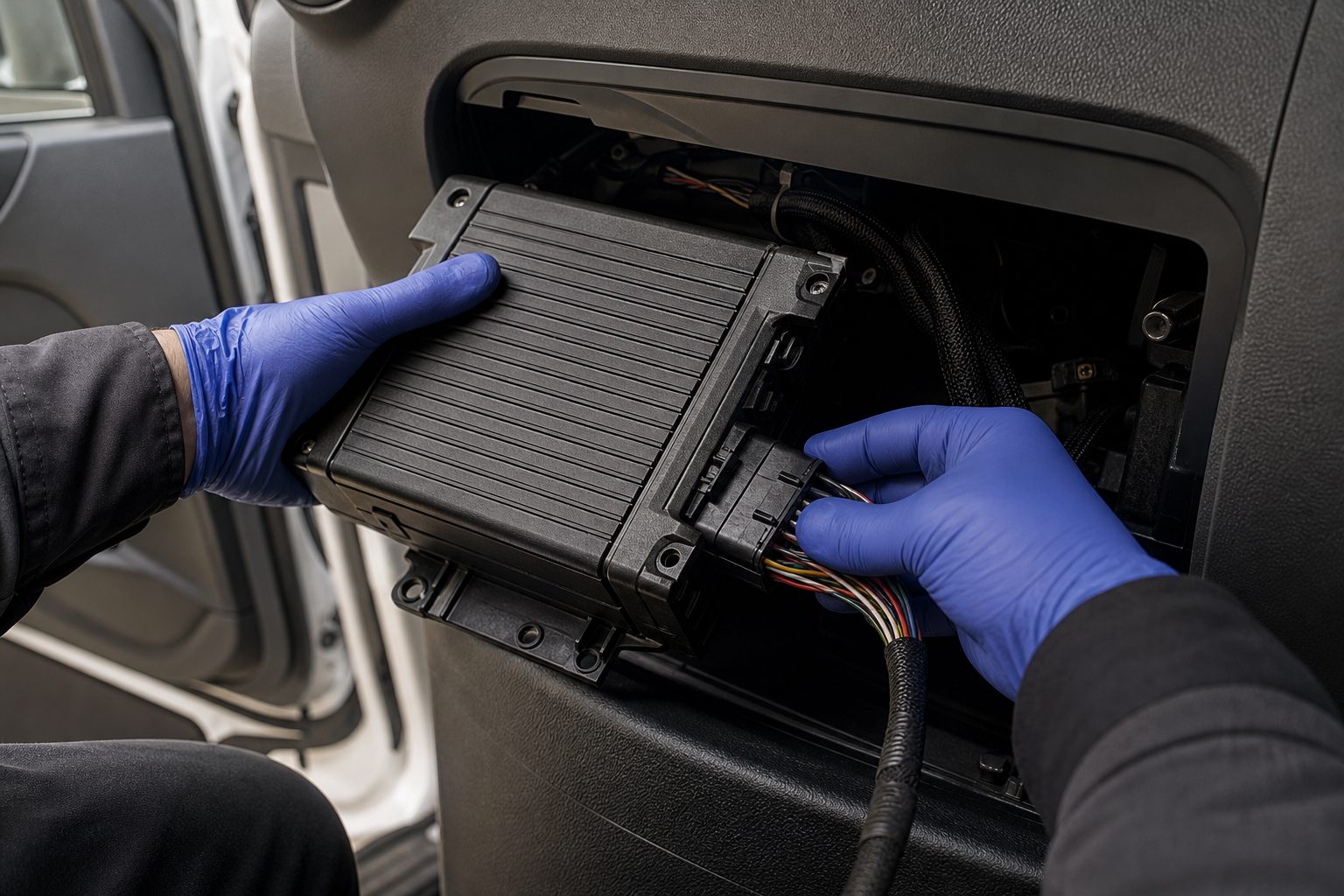
A dashcam records what is in front of one camera. An MDVR records everything — multiple cameras simultaneously, GPS position and speed, driver behaviour data, and incident triggers — and can transmit that footage to your fleet management platform in real time over 4G. The dashcam is a single-channel consumer product. The MDVR is the recording and connectivity backbone of a commercial vehicle camera system.
Fleet managers specifying camera systems for HGVs and commercial fleets encounter MDVR systems without always having a clear picture of what they do and how they differ from simpler options. This explanation covers what an MDVR is, how it works, what it stores, and what it enables — in practical terms for fleet operations rather than as a product specification.
MDVR stands for Mobile Digital Video Recorder. “Mobile” distinguishes it from fixed CCTV recorders designed for static premises installation — the MDVR is built to operate in the vibration, temperature extremes, and power interruption environment of a commercial vehicle. “Digital Video Recorder” describes its core function: receiving video from multiple camera inputs, compressing it, and storing it to an internal drive.
The MDVR sits at the centre of the vehicle camera system. Cameras connect to it as inputs. It outputs to in-cab monitor displays and, in connected systems, transmits footage over 4G to a cloud platform accessible by the fleet manager.
The operational sequence of an MDVR in a typical HGV installation runs as follows.
Camera inputs: Between two and eight cameras connect to the MDVR via aviation-connector cables. Each camera sends its video signal to the MDVR continuously when the vehicle is running. Common positions are forward-facing, nearside, rear, and driver-facing — though the MDVR can handle any camera configuration its channel count supports.
Video compression: The MDVR processes incoming video using H.264 or H.265 compression. H.265 stores the same video quality at roughly half the file size of H.264 — practically relevant for long retention periods. Compressed footage is written to internal storage continuously.
Storage: MDVRs use removable storage (SD cards), internal hard drives (HDD), or solid-state drives (SSD). HDD storage allows larger capacity at lower cost — common in commercial MDVR systems offering 1–2TB of recording. SSD storage is more resistant to vibration but carries a higher cost per gigabyte. Removable SD card slots allow footage to be physically retrieved from the vehicle, which is useful for incidents that require immediate access before the vehicle returns to depot.
GPS and sensor data: The MDVR receives GPS location and speed data and writes this alongside video. Playback shows the vehicle’s position and speed at every moment of the recording — directly relevant for incident analysis and driver behaviour review.
Event triggers: The MDVR can be configured to respond to triggers: harsh braking, acceleration events, impact detection via G-force sensor, or driver-operated panic button. On a trigger event, the MDVR marks the footage segment and, on connected systems, uploads that clip to the platform for immediate review. This is the mechanism that makes incidents reviewable by the transport manager within minutes of an event — without waiting for the vehicle to return.
4G transmission: Connected MDVRs include a SIM card slot and 4G modem. When the vehicle is in coverage, the MDVR sends event-triggered clips and, optionally, continuous live view streams to the fleet management platform. The transport manager can access footage from any vehicle in real time or request clips from specific time periods.
In-cab display: A monitor in the cab shows camera feeds — automatically switching to the rear camera on reverse, the nearside camera on left turn signal, or any camera the driver selects manually. The display is the driver’s live visibility aid; the MDVR is the recording and connectivity unit behind it.
A question that comes up regularly when fleet managers are reviewing systems is whether a dashcam will serve where an MDVR is specified. The practical differences matter:
Camera channels: Consumer dashcams record one or two channels — typically forward-facing and optionally driver-facing. Commercial MDVRs support two to eight simultaneous camera inputs. For a four-camera HGV system (forward, nearside, rear, driver-facing), a dashcam is not an adequate recording platform.
Storage: Consumer dashcams use SD cards of 32–256GB — sufficient for a few days of continuous recording. Commercial MDVR systems using HDD storage retain one to two terabytes, covering weeks of footage. For insurance claims and incident investigations, the retention period matters: an incident reported three weeks after the event is not retrievable from a dashcam that overwrites its SD card every 48 hours.
Build specification: MDVRs are built to commercial vehicle standards: vibration tolerance, operating temperature range from -20°C to +70°C, and power management that handles the interruptions and voltage spikes of a vehicle electrical system. Consumer dashcams are not designed to these specifications and typically show higher failure rates in commercial vehicle environments.
Fleet platform integration: Connected MDVR systems integrate with fleet management software. Event notifications, live view access, footage requests, and GPS tracking are managed through a single platform. Consumer dashcams do not offer this integration.
The practical value of an MDVR in fleet operations comes down to three things: incident evidence, remote visibility, and driver behaviour insight.
Incident evidence: When an incident is reported — a third-party claim, a reversing event, a near-miss at a junction — the footage from all camera positions at the relevant time is retrievable from the MDVR. With a connected system, this footage is available to the transport manager immediately. Without it, evidence gathering waits for the vehicle to return and requires physical access to the storage device.
Remote visibility: On overnight trunking routes, connected MDVR systems allow the transport manager to request live view of any camera position or receive event-triggered clips at 03:00 as easily as at 09:00. Driver exoneration — or early identification of a liability exposure — can happen before the vehicle has reached its destination.
Driver behaviour: GPS speed data overlaid on footage, harsh braking event counts, and AI driver monitoring (where the system includes a driver-facing camera with behaviour detection) give the fleet manager objective data for driver review conversations. The data is specific and timestamped, not anecdotal.
A practical consideration that fleet managers often ask about is how much footage an MDVR retains and how that is managed.
At typical 4-channel recording resolution, a 1TB HDD retains approximately 14–21 days of continuous footage. When the drive fills, the MDVR overwrites the oldest footage — known as loop recording. On some systems footage flagged by event triggers is protected from overwrite, but this should never be assumed — footage needed for an incident should be exported promptly, before the loop overwrites it.
For incident management, the retention period should cover the typical lag between an incident and a formal claim notification. For most UK fleet operations, 28–31 days is the standard retention target. On a 1TB drive at four channels, this is achievable at standard definition; higher resolution recording on more channels reduces retention duration unless a larger drive is fitted.
An MDVR is a multi-channel commercial recording system supporting two to eight simultaneous cameras, with GPS, event triggers, and 4G connectivity for fleet platform integration. A dashcam is a consumer product with one or two channels, SD card storage, and no fleet platform integration. For HGV multi-camera systems, an MDVR is the correct recording platform.
Commercial MDVR systems typically support four to eight camera channels. Four-channel MDVRs are standard for most HGV installations — forward, nearside, rear, and driver-facing. Eight-channel units are used where additional coverage positions are required, such as load bay or trailer cameras.
At standard four-channel recording, a 1TB HDD retains approximately 14–21 days of continuous footage on a loop-recording basis. Event-triggered footage should be exported promptly rather than relied on to survive the loop. For UK fleet operations, a 28-day retention target is recommended as a minimum for incident management purposes.
Only for connected functionality: live view access, event-triggered clip upload, and remote footage requests. A non-connected MDVR records and stores footage locally without a SIM card but requires physical access to the vehicle for footage retrieval. For most commercial fleet operations, connected MDVR with 4G is the standard specification.
Yes, with a 4G SIM installed. The MDVR transmits event-triggered clips automatically and supports on-demand live view and historical footage requests via the fleet management platform. Remote access allows incident review without waiting for the vehicle to return to depot.
On impact or harsh braking, the MDVR’s G-force sensor triggers an event marker. The footage segment is flagged and, on connected systems, uploaded immediately. The protected clip covers the seconds before and after the trigger — typically 15–60 seconds configurable — and is accessible from the platform. Non-flagged footage remains on the drive subject to loop overwrite.
A one-page checklist for specifying an MDVR system — camera channels, storage retention, 4G connectivity, and camera compatibility confirmation.
Tell us what vehicles you run and what you need — we will come back with a recommendation and a price. Prefer to talk? Call 01656 721871.
Related guides: MDVR power requirements explained · G-Sensors Explained: How MDVRs Detect Sudden Events
4 August 2026
Monday to Friday:
8.30am-5.30pm

