Detecting and Preventing MDVR Tampering: A Practical Guide for Fleet Operators
An articulated truck is involved in a close-call on the M62; the insurer asks for footage, the SD card is handed over — and the file has a 20‑minute gap and the timestamps have reset. That single anomaly turns an otherwise straightforward claim into weeks of dispute.
MDVR tampering is a real operational risk. Mobile DVRs operate in rough, accessible environments: multiple cameras, removable media, exposed ports and a wide set of users (drivers, engineers, depot staff). When footage or metadata is changed, insurers don’t trust it, police may not accept it, and you lose the ability to defend your drivers.
Fleet managers are fed up with “tamper‑proof” claims that break in practice. Installers hand over SD cards with no evidence of who handled them. Drivers pull cards to hide behaviour. Operators complain that routine things — loose mounts, power resets, or full cards — often look like deliberate tampering.
This guide is practical: we show how to detect tampering, how to prove video integrity (for insurers or court), and how to reduce risk with pragmatic, operator-first controls you can start this week.
TL;DR — If you want one thing: preserve the original media, compute an SHA256 hash, and photograph seals and serials before anyone touches the device.
Category — What is MDVR tampering? (definition & quick snapshot)
Definition (snippet-ready): MDVR tampering is any action that changes the original recorded data, its metadata, or the chain of custody so the video no longer reliably represents what happened.
Network tampering: intercepting cloud uploads, suppressing telemetry, or altering logs.
Typical targets include multi‑channel MDVR units, front/cab/parking cameras, removable SD/SSD storage and vehicle telemetry feeds.
Featured snippet: MDVR tampering is any action that alters recorded video, metadata, or the chain of custody so footage no longer reliably represents events — including physical removal, file edits, firmware tampering and GPS/time spoofing.
Mechanism — How MDVR tampering happens (technical anatomy)
Understanding the attack surface helps you recognise likely signs and match controls to real field problems.
Physical attack vectors
How it happens: service panels unlocked, exposed SD slots, cheap mounts allow camera removal, power cables or fuses pulled, cameras covered or repositioned.
How it looks in the field:
Missing screw marks, scratched or cut seals and scuffs around the SD slot.
Sudden gaps in recorded clips that align with parked periods.
Device logs showing unexpected power cycles or fuse faults.
Data-level vectors
How it happens: files deleted from media; clips replaced with re‑encoded versions; container timestamps altered.
Detectable signs:
Non‑sequential filenames or missing sequence numbers across channels.
Re‑encoded files with different codec/bitrate signatures and missing original header metadata.
Modified timestamps that are inconsistent with surrounding files.
Firmware & software vectors
How it happens: flashing unsigned firmware via USB/serial, exploiting default admin passwords, using manufacturer debug interfaces.
Detectable signs:
Firmware version mismatches in logs or unexplained device reboots after a firmware date.
New admin accounts or logins from unexpected IPs.
Unexpected services or open ports shown in vendor diagnostics.
Network & telemetry vectors
How it happens: GPS spoofing devices, NTP time changes, or man‑in‑the‑middle on cloud sync.
Detectable signs:
Telemetry with sudden jumps in location/time compared with fuel cards, toll logs or depot CCTV.
Cloud upload logs showing missing chunks or failed syncs that align with local file gaps.
Environmental / accidental causes that mimic tampering
How it happens: power loss during write causing filesystem corruption; heat degrading SD cards; wrong timezone settings; loop recording overwriting older files.
Detectable signs:
Corrupted container headers, partially written files or filesystem errors reported by the device.
Repeated “drive full” or “corrupted file” events in logs.
Quick forensic command examples
sha256sum video_20260401.mp4
CertUtil -hashfile video_20260401.mp4 SHA256
Comparison — MDVR vs dashcams vs cloud-only solutions (what’s stronger for tamper resistance)
Pick systems by the dimensions that matter: physical security, storage immutability, remote upload, cryptographic integrity, audit trails and forensic‑friendly exports.
Feature
MDVR (multi-channel onboard)
Consumer dashcam
Cloud-first telematics cam
Hybrid (MDVR + cloud)
Physical security
High — lockboxes, sealed mounts
Low — exposed, easy to remove
Medium — may be fixed, depends on install
High — MDVR security plus cloud redundancy
Removable media
Often present (SSD/SD); can be sealed
Always present and exposed
Usually none; streams to cloud
MDVR local + cloud backup
Real-time upload
Optional; depends on modem
Rare (consumer models)
Designed for it
Yes — best of both
Cryptographic hashing
Available on enterprise models
Rare
Often available server-side
Yes — device and server hash
Tamper alerts
Available (seal, power removal, card pull)
Limited
Yes — alerts to cloud
Yes — device + cloud alerts
Chain of custody / forensic export
Forensic-friendly on enterprise devices
Poor — recompressed exports common
Good if raw export available
Best — raw local + authenticated cloud
Installation complexity
High
Low
Medium
High
Typical cost (capex + opex)
Medium–High
Low
Medium (subscription OPEX)
High
Analysis and recommendations
Small fleets often choose consumer dashcams for cost; medium fleets usually need hybrid solutions for reliable proof; large fleets typically require hardened MDVRs with cloud sync and signed firmware.
Small (1–20 vehicles): hybrid consumer/prosumer dashcam + central upload policy.
Medium (20–200): hardened MDVR with scheduled cloud upload + hash verification.
Large (200+): enterprise MDVR or VMS with hardware seals, encrypted storage, automated chain-of-custody.
Proof — how to detect tampering and prove video integrity
Preserve originals. Do not power cycle the device. Photograph device, seals and serials. Record chain-of-custody.
Legal caution: This guide provides technical and operational guidance only. Evidence admissibility varies by jurisdiction—consult legal counsel for case-specific advice.
Physical inspection — Who: on‑site ops/driver. What: photograph the unit, serial, seal ID and vehicle location (UTC). Why: visual record before handling.
Preserve media — Who: ops. What: remove SD/SSD only if required; place originals in an evidence bag; label (example: BW-EV-2026-04-24-TRK12-SEAL001). Why: prevents accidental overwrite.
Verify file sequence — Who: IT/forensics. What: check file names, sequence numbers and timestamps across channels to identify gaps or resets.
Why: detect re‑encoding, changed metadata or missing header fields.
Cross-check telemetry — Who: telematics analyst. What: compare GPS, speed and G‑sensor logs to the video timestamps and look for mismatches.
File system & log analysis — Who: forensic analyst. What: check device logs and filesystem journal for deletions/overwrites and device reboots.
Prepare hash manifest — Who: IT. What: create a manifest table and sign it before handing copies to stakeholders.
Evidence packaging — Who: ops. What: bag, label and store originals; provide a copy only after hashes are computed.
Report & chain-of-custody — Who: ops/legal. What: record every handler, date_time_utc and action_taken (see template below).
Sample hash manifest (columns):
filename
sha256
extractor
extraction_time_utc
original_front_20260401.mov
e3b0c44298fc1c149afbf4c8996fb924… (truncated)
ops-server-01
2026-04-01T14:12:00Z
What not to do
Do not re-open or re-save the original file in a consumer editor or player.
Do not edit timestamps or metadata on originals.
Do not allow multiple unrecorded handlers to touch the media.
Operator-friendly tools: sha256sum / CertUtil (hashing), exiftool (metadata), MediaInfo / ffprobe (container info). For complex cases, use a recognised forensic lab.
Preserve originals: Photograph before you touch. Bag and seal original media. Compute SHA256 and save a manifest. Hand off only after documentation completed.
Fit — Is your fleet at risk and which solution is right for you?
Medium-risk: sealed MDVR, scheduled cloud sync, hashing and tamper alerts.
High-risk: hardened MDVR, signed firmware, full encryption and managed chain-of-custody.
Cost vs benefit: up-front cost increases with device hardening and cloud subscriptions; ongoing telemetry costs for SIM/data; training and ops overhead. A single avoided disputed claim can justify the investment.
Flowchart (textual): If insurer requires cloud-hashed footage → choose MDVR + cloud. Else if budget tight and incidents rare → hybrid consumer dashcam + strict preservation policy. Else → sealed MDVR with scheduled uploads.
Risk — explicit downsides, limitations and attacker sophistication
Technical controls are not foolproof: on‑device hashing helps only if the device root is trusted.
Cloud dependence: upload gaps occur in rural areas; offline periods remain vulnerable.
Seals and locks deter and show evidence but can be defeated by determined insiders.
False positives: timezone changes, firmware updates or legitimate corruption can mimic tampering.
Advanced attacks: firmware backdoors, supply‑chain compromise or targeted GPS spoofing are possible.
Operational cost: hardened systems require training, audits and OPEX.
Realistic expectation: prevention reduces risk and raises the cost of tampering. It does not create perfect evidence in every case. Process discipline and clear chain‑of‑custody matter as much as the tech.
Process — 12-step implementation plan to detect and prevent MDVR tampering (operational playbook)
This is a practical roll‑out you can run this week, over 30 days and across 90 days. Each step lists who does it and why it matters.
Immediate (this week — 6 steps)
Policy — Draft a “video evidence handling” policy.
Who: Ops manager + Legal. Why: sets responsibilities and reduces ad‑hoc handling.
Template bullets (copy-ready):
Only authorised staff may handle media.
Photograph device and seals before any removal.
Preserve original media in evidence bag; compute and record hashes.
Preservation — Train drivers not to remove media.
Who: Fleet trainer. Why: drivers commonly remove SD cards under stress. Action: one‑page reminder card in every cab.
Incident checklist — Print laminated “Incident capture” checklist for drivers.
Who: Ops. Why: drivers under stress need a tiny checklist.
Incident capture checklist (copy-ready):
Photograph vehicle, unit, seals and SD card serials (UTC timestamped).
Do not power down or access the device except to photograph.
Label and seal original media in an evidence bag; record handler name and time.
Compute SHA256 hash of original file(s); save hash manifest.
Notify ops and insurer (if required) and log all actions in chain‑of‑custody form.
Baseline audit — Audit 10% of vehicles for vulnerabilities.
Myths and misconceptions (Reddit & YouTube corrections)
Myth: “If a device says ‘tamper‑proof’, it’s impossible to tamper.” Reality: vendor claims vary; “tamper‑evident” usually means opening is visible. Operator tip: verify vendor features and require firmware signing.
Myth: “Cloud upload solves everything.” Reality: cloud reduces physical removal risk but depends on connectivity, retention and hashing. Operator tip: pair cloud upload with device-side hashes.
Myth: “If the file plays fine, it wasn’t tampered with.” Reality: re‑encoded files can play normally but their metadata or timestamps may be altered. Operator tip: check container metadata and compute hashes.
Myth: “Only external attackers tamper.” Reality: insider actions (drivers, depot staff) are common. Operator tip: use seals and audit trails; limit physical access.
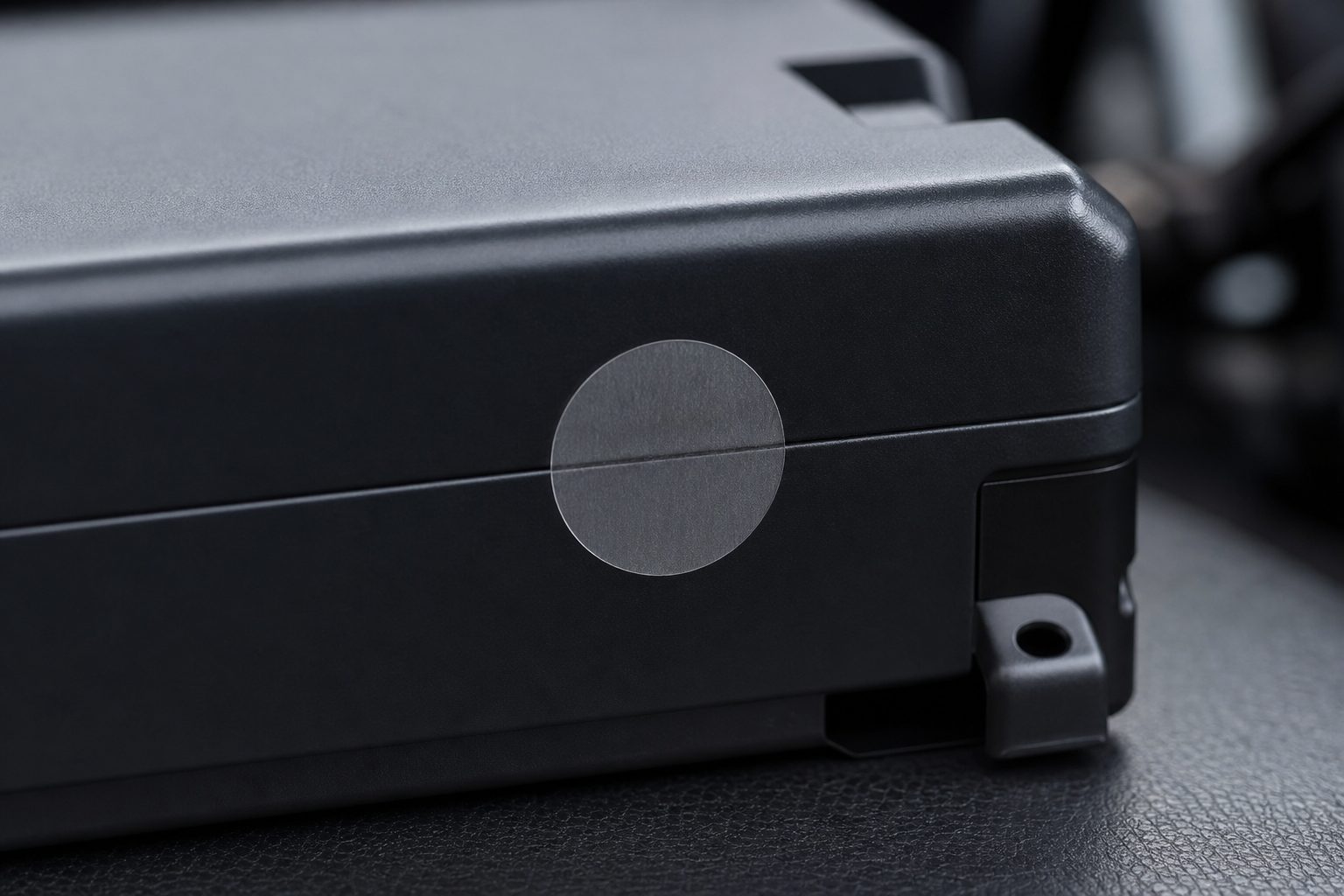
Myth: “Seals are useless.” Reality: seals raise the cost and leave visible evidence even if not perfect. Operator tip: photograph seals and log seal IDs.
Myth: “Timestamps are always trustworthy.” Reality: device clocks can be changed or spoofed; use UTC and hash chains. Operator tip: centralise NTP time sync and record offsets.
Myth: “Forensic tools are only for police.” Reality: basic forensics (hashing, ExifTool) can be done by trained ops staff. Operator tip: train one person per depot on basic commands.
Myth: “Insurance won’t accept MDVR files.” Reality: insurers increasingly accept properly handled exports with audit trails. Operator tip: follow Section 5 and keep full documentation.
Alternatives & complements — what else to consider
Alternatives
Cloud-only telematics cameras — Pros: no removable media; Cons: dependent on coverage and subscription.
AI-based anomaly detection — Pros: flags events automatically; Cons: false positives need human review.
ADAS logs and DMS (driver monitoring) to corroborate events.
Vehicle telematics and EDR (Event Data Recorders) for independent telemetry.
Depot CCTV for chain-of-custody and entry/exit verification.
Physical locks and seals to raise tamper cost and provide visible evidence.
Option
Pros
Cons
Cloud-only
Reduced physical media risk; remote alerts
Requires reliable coverage; subscription OPEX
Hardened MDVR
Strong physical security; forensic exports
Higher capex and install complexity
Hybrid
Local raw + cloud backup; best redundancy
Highest total cost; needs disciplined ops
When to choose: choose cloud-first if you have consistent connectivity and lower legal risk; choose hardened MDVR if chain‑of‑custody is a legal priority; choose hybrid for redundancy.
Proof points & case scenarios (illustrative examples)
Scenario A — “Missing footage after collision” (small fleet)
time (UTC)
action
evidence
08:05
Collision reported
Driver photo of scene
08:10
SD card handed to ops
Card shows gap 08:00–08:20
08:12
Ops photographed device & serial
Photos saved in incident folder
08:30
IT computed SHA256 of available files
Hash manifest saved
09:00
Cross-check with telematics
GPS shows continuous movement; speed matches video before gap
What ops did: preserved originals, hashed available clips, provided telematics.
Outcome: insurer accepted partial footage corroborated with telematics.
Takeaways: gather telemetry as backup; partial evidence may be sufficient when sources align.
“We didn’t have the full clip, but the GPS matched the footage we had — that repaired the case.”
Scenario B — “Driver removed SD card to hide behaviour” (medium fleet)
time (UTC)
action
evidence
07:00
Depot CCTV shows driver unplugging dashcam
CCTV stills captured
07:10
Driver returns SD card with clean clip
Clip timestamps show reset
07:20
Ops inspected device and found seal broken
Seal photo taken
07:40
Hash manifest showed mismatch with server backup
Server copy hash retained
What ops did: used depot CCTV and server backup; disciplinary hearing held.
Outcome: driver dismissed after evidence review.
Takeaways: depot cameras and server copies are powerful corroborators.
“The depot camera made the case — without it we’d have been stuck.”
Scenario C — “Firmware tampering attempt discovered during audit” (large fleet)
time (UTC)
action
evidence
Audit day
Routine device audit
Logs showed unsigned firmware on 2 units
Audit +1 day
Vendor consulted
Vendor confirmed only signed builds should be used
Audit +3 days
Devices re-flashed with signed firmware
Forensic export validated originals
What ops did: enforced firmware signing via contract change and rolled a patch.
Outcome: no breaches found; contract updated to require signed firmware.
“We found the unsigned image before any data problem — that stopped a potential risk.”
Conclusion — how to prioritise actions this quarter
MDVR tampering is a practical problem solvable with a mix of simple controls and disciplined processes. Start with preservation and visible controls, add hashing and cloud redundancy where cost permits, and formalise chain‑of‑custody procedures.
30 days: Issue driver guidance, print incident checklists, audit 10% of fleet for exposed media.
60 days: Pilot hashing and cloud sync checks; fit seals on critical vehicles.
90 days: Deploy central evidence management, formal incident runbook and supplier firmware signing clauses.
Remember: process + technology + training = the best protection. Start simple and harden as incidents and risk justify investment.
FAQ — (snippet-optimised, 8–12 Q&As)
How do I know if my MDVR has been tampered with? Photograph device and seals, check file continuity, compute SHA256 hashes, and verify GPS/telemetry for mismatches.
Can SD cards be used as admissible evidence? Yes — if the original is preserved, a hash manifest is created, and a clear chain-of-custody is recorded.
What are the fastest ways to prevent MDVR tampering this week? Issue driver guidance, fit tamper‑evident seals, enable automatic upload/hashing and audit the most vulnerable vehicles.
Does cloud upload guarantee evidence integrity? No — cloud reduces physical removal risk but must be paired with hashing, retention policies and access controls.
What forensic checks should I run on a suspected clip? Compute file hash, run ExifTool or MediaInfo for metadata and codec analysis, and cross‑check telemetry logs.
How long should I retain MDVR footage? Depends on regulation and insurer needs — onboard recorders typically hold 30–60 days rolling; export incident clips and archive them for longer in high‑risk operations. Align with insurer and legal requirements.
Can drivers remove SD cards without me knowing? Yes — use sealed housings, tamper alerts, and depot entry/exit CCTV to reduce this.
What costs should I expect to harden MDVRs? Expect higher capex for enterprise MDVRs and ongoing OPEX for cloud uploads and audits; weigh against potential litigation and claim costs.
Download this free printable checklist to implement tamper controls across your fleet in stages – covering policy, driver training, hashing, seals, and a 90-day rollout plan.
Tell us what vehicles you run and what you need — we will come back with a recommendation and a price. Prefer to talk? Call 01656 721871.
4 August 2026
We use cookies to ensure that we give you the best experience on our website. If you continue to use this site we will assume that you are happy with it.