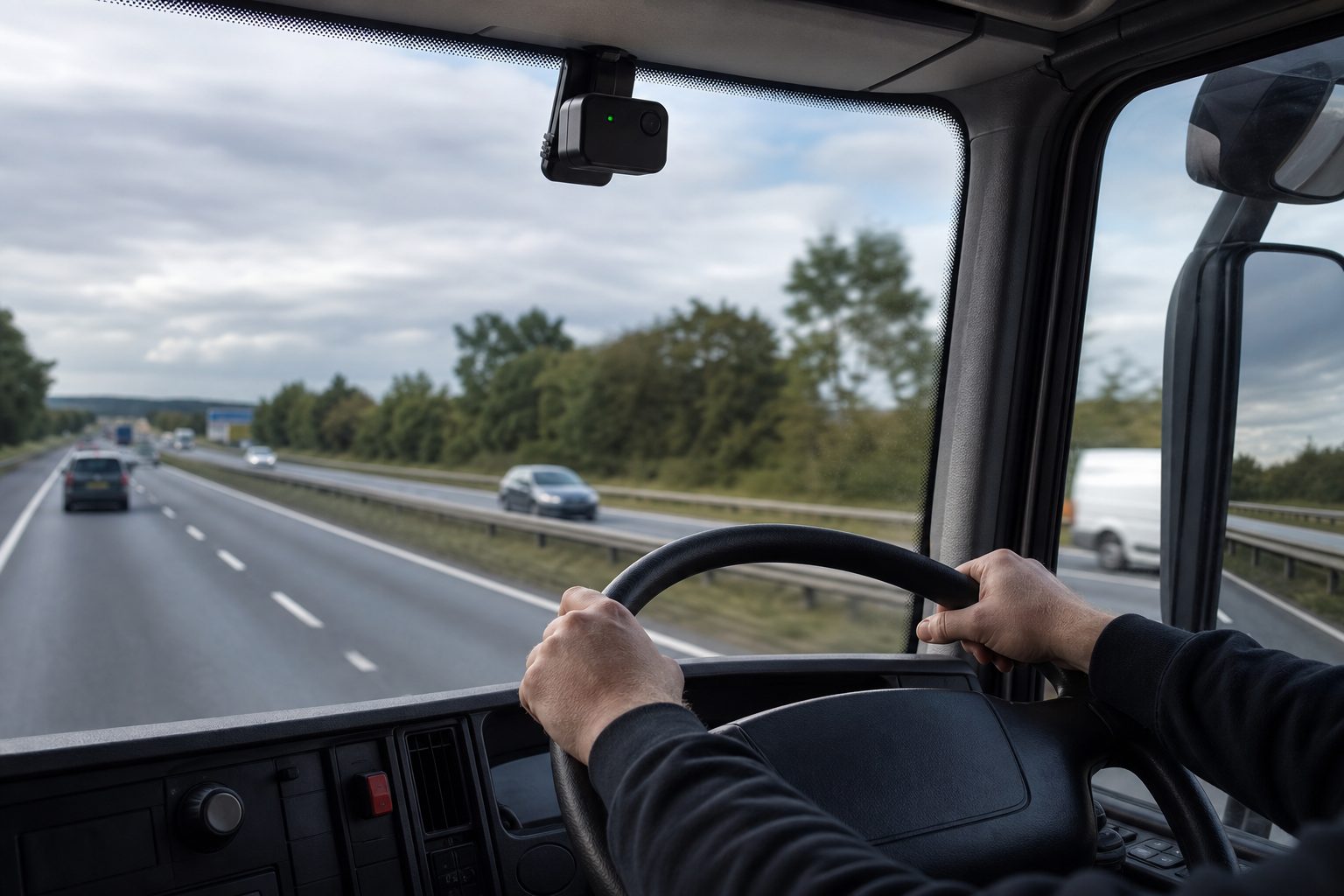
How event-based alerts improve fleet safety — practical guide for fleet operators
Introduction — Why this matters now
Fleets face more complex risk today: denser urban routes, tighter delivery windows and stretched safety teams. That combination increases incident volume while leaving safety staff with less time to review footage and coach drivers. The result is more claims, more noise and less targeted improvement.
Operators share two recurring frustrations: they end up watching noisy clips that do not help, and drivers feel policed and defensive when every minor bump generates an alert. Fleet managers describe the same pattern: hundreds of alerts a week, most of them low-value — leaving them unable to prioritise genuine risk.
This article explains what event-based alerts are, how they cut risk and review time, when they work (and when they don’t), and gives a step-by-step rollout checklist you can use tomorrow.
Clear definition and the tech layers behind event-based alerts.
Mechanisms and real-world proof showing how alerts change outcomes.
Operator-first rollout roadmap, tuning recipes and templates.
Fleets want “smart filtering” that cuts noise, not systems that hide incidents.
What are event-based alerts?
Event-based alerts for fleet safety are system-generated notifications that trigger only when defined driving events occur — for example harsh braking, collision-force thresholds, AI-detected near-misses or driver distraction — rather than producing a continuous stream of footage for every trip. Event-based alerts for fleet safety help teams focus on high-value evidence and reduce unnecessary review.
Hardware triggers: accelerometer, GNSS and CAN/CAN-bus signals detect force, speed and location.
Firmware / edge filters: threshold logic on the MDVR decides whether an event creates a stored clip or an alert.
AI / video analysis: object detection, distraction/fatigue models and priority scoring add context and confidence.
Featured-snippet-ready sentence: Event-based alerts notify you only when specified risky events occur, combining sensor thresholds with AI triage so safety teams review fewer, higher-value clips.
Operators call this “smart filtering” — it should cut noise, not hide incidents.
How event-based alerts improve fleet safety — the mechanisms
Real-time risk detection
Claim: Event-based alerts surface immediate risk so you can act while the context is fresh.
Rapid notification lets operations re-route, pause a vehicle or initiate a safety stand-down.
Time-sensitive evidence reduces the chance of altered scenes or lost witness accounts.
AI confidence scores help prioritise which events need a live response.
Scenario: A last-mile van triggers a high-priority near-miss at a busy junction. The dispatcher reviews a 10s clip, calls the driver for a quick coaching moment and adjusts route scheduling for that intersection the next day.
Faster investigations
Claim: Prioritised clips shorten claims handling and reduce fraud risk.
Short, timestamped clips provide usable evidence for insurers and legal teams.
Scenario: A collision claim that used to take days to adjudicate was resolved within 48 hours after a priority clip showed the other driver at fault.
Focused driver coaching
Claim: High-signal clips enable shorter, more effective coaching sessions.
Use 10–20s “smart sequence” clips with bounding boxes to show the behaviour.
Pair clips with objective metrics (g-force, time-to-collision) to remove subjectivity.
Make coaching action-oriented: clip → agreed action → follow-up date.
Scenario: A courier repeatedly triggers distraction alerts. A coach uses a 5-minute session with two priority clips to agree a corrective action and schedule a two-week follow-up.
Reduced review workload
Claim: Safety teams spend more time fixing problems and less time sifting footage.
Event-only capture and AI-prioritisation reduce storage and human review time.
High-magnitude filters cut low-value noise before upload.
Dispatchers receive compact daily digests instead of thousands of unreviewed videos.
Scenario: Enabling priority scoring and a P2/P3 digest typically cuts weekly review volume to a short prioritised queue instead of an unfiltered feed.
Frequent hard-brake clusters flag route hotspots and pothole issues.
Excessive engine events can trigger automatic maintenance tickets.
Event locations can feed route redesign or traffic-time avoidance rules.
Scenario: Recurrent harsh cornering events at the same roundabout led to re-routing for heavy vehicles and a clear drop in those events within weeks.
Compliance & insurer collaboration
Claim: Prioritised event evidence supports regulatory and insurance needs without mass surveillance.
Short, relevant clips meet evidentiary needs while minimising PII retention.
Insurers are more likely to support premium reductions when claim response time and evidence quality improve.
Scenario: A bus operator provided priority clips to an insurer post-incident, and the documented triage and coaching process supported a more constructive claims conversation.
“When the team gets one clip that matters instead of 50 that don’t, coaching actually happens.”
Comparison — Event-based vs continuous vs AI-filtered vs hybrid
Feature
Continuous recording (all-event)
Basic event-based (threshold)
AI-filtered event-based (priority scoring)
Hybrid (continuous + priority)
Signal-to-noise ratio
Low — many irrelevant clips
Medium — threshold reduces obvious noise
High — AI ranks by risk
High — continuous evidence plus AI triage
Review time per incident
High (long)
Moderate
Low — prioritised
Low for priority, high if reviewing archive
Storage cost
High
Low
Moderate
High
Night/low-light performance
Depends on camera
Depends (false positives possible)
Better if models trained for low light
Best when IR + priority used
False positive rate
High (noise)
Medium
Lower (with tuning)
Lower (tunable)
Investigative value
Highest raw evidence
Good
Very good — prioritised context
Highest when archive review needed
Suitability for insurance defence
Excellent
Good
Good — with confidence scores
Excellent
Driver acceptance
Low (privacy worries)
Medium
Higher (fewer irrelevant alerts)
Varies — depends on policy
Implementation complexity
Moderate
Low
Moderate–High
High
Bandwidth requirements
Very high
Low
Moderate
Very high
Best-fit fleet type
Smaller specialist ops or legal-heavy fleets
Large general fleets needing scale
Medium-large fleets needing prioritised coaching
High-risk fleets where full evidence matters
Table summary: Continuous recording delivers the most raw evidence but creates enormous review and storage overheads — not scalable past about 50–100 vehicles without significant monitoring staff. Basic event-based reduces noise but can still produce false positives. AI-filtered event-based systems add prioritisation and confidence scoring and generally offer the best balance for mid-to-large fleets. Hybrid models give the highest investigatory value at the cost of complexity and storage.
WATCH OUT: Continuous systems are valuable for claims-heavy operations but will overwhelm teams that lack triage workflows.
Proof — what works in the real world
Independent research on event-triggered video programmes consistently points the same way: fewer harsh-driving events and faster claims resolution when prioritised alerts are paired with structured coaching. The gains come from the workflow rather than the hardware alone — prioritised clips get reviewed, reviewed clips get coached, and coached behaviour sticks. Where programmes disappoint, the cause is usually alert overload or poor hardware fit rather than the concept itself; the tuning recipes and hardware checklist later in this guide exist to prevent exactly that.
Is event-based right for your fleet? — Fit
Use this quick decision checklist to self-segment and decide applicability.
Fleet size Small (1–50): Optional — consider continuous for legal-heavy needs. Medium (50–500): Recommended — best ROI balancing cost and evidence. Large (500+): Recommended with governance and automated triage.
Typical operation Urban stop-start: Event-based recommended (focus on near-misses and harsh events). Long-haul motorway: Continuous optional; event-based acceptable if storage constrained. Passenger transport: Event-based with incabin considerations; prioritise passenger-safety events.
Priority Liability defence: Hybrid or continuous for high-risk assets. Coaching-focused: AI-filtered event-based is ideal. Bandwidth/storage-limited: Basic event-based with edge filtering.
Top 3 indicators you should choose event-based:
You get >100 alerts/week and lack time to review.
You need faster claim triage rather than full-journey video.
Your safety team wants to scale coaching without more reviewers.
Persona vignettes
Operations lead at a 150-van last-mile provider: Chooses AI-prioritised event-based to cut review time and focus coaching on repeat offenders. The pilot saved review hours and highlighted hotspots for route changes.
Safety manager of a 75-bus municipal fleet: Opts for event-based with incabin off by default, enabling passenger-safety modes during trials. Legal sign-off and union engagement improved acceptance.
Logistics director of a 600-truck fleet: Pilots hybrid approach on high-risk routes and keeps event-based for the remainder to control storage costs while preserving evidence for top-risk assets.
QUICK WINS: Start with a 30-day pilot on 10–20 vehicles representing your highest incident types.
Risks and downsides (explicit) — what can go wrong
Alert fatigue / triage overload Mitigations: Prioritise alerts (P1/P2/P3); set SLAs (P1 = 2 hours); use daily digests and an escalation matrix. Mitigations: Limit reviewers and consider third-party triage for spikes. WATCH OUT: Turning on all alerts at max sensitivity is a fast route to reviewer burnout.
False positives / false negatives Mitigations: Tune thresholds, sample filtered events and combine human+AI checks. Mitigations: Upgrade cameras to IR for low light and ensure correct mounting; log sensor health checks. WATCH OUT: Potholes and poor mounts commonly trigger false positives.
Privacy & GDPR (UK-specific) Mitigations: Publish clear privacy policy, retention periods and DSAR process. Mitigations: Role-based access with audit logs and minimal retention for non-investigative footage; keep incabin default-off where required. WATCH OUT: Sharing clips internally without consent erodes trust and risks legal action.
Driver relations / union pushback Mitigations: Early engagement with unions and drivers; transparent pilot email and appeal processes. Mitigations: Offer drivers access to their clips and a coaching-first policy. WATCH OUT: Surprise enablement of incabin or audio causes immediate distrust.
Cost: storage, bandwidth, device upgrades Mitigations: Tiered retention, edge filtering and selective full-resolution upload for priority events. Mitigations: Mix hardware procurement — IR where needed, simpler cams elsewhere. WATCH OUT: Underbudgeting storage for a hybrid model leads to unplanned costs.
Legal chain-of-custody & evidence integrity Mitigations: Tamper-evident logs, timestamp synchronisation to GNSS, secure cloud storage and audit trails. WATCH OUT: Allowing manual SD-card removal without policies breaks the chain.
Technical fragility (mounting, wiring, sensor drift) Mitigations: Install validation checklist, quarterly sensor checks and mandatory install photos. WATCH OUT: Poor installs are responsible for many classification errors.
OPERATOR TIP: Require vendors to demonstrate auto-calibration (VIN decoding) and ask for a 30-day false-positive sample before signing a contract.
Implementation — step-by-step rollout roadmap
Below is an ordered rollout plan from pilot to full deployment. Each step lists tasks, owners and success metrics.
Scenario columns (high level): Conservative / Expected / Optimistic with claim reduction and admin-save assumptions. Drivers of ROI: claims avoided and admin time saved are primary; device and retention policies strongly affect payback.
“We couldn’t justify by claims alone — admin time and productivity made the case.”
FAQs — quick answers for searchers
What are event-based alerts in fleet telematics? Event-based alerts are notifications triggered only when specific driving events occur (e.g., harsh braking, near-miss). They capture and prioritise short clips for review instead of producing continuous footage.
How do event-based alerts reduce review time? By filtering for defined events and applying AI priority scores, they lower the volume of footage and surface only high-signal clips for human review. Start with a 30-day pilot on 10 vehicles.
Do event-based systems miss incidents? They can if hardware is poor or thresholds are wrong. Mitigate by using IR-capable devices, tune thresholds and sample filtered events routinely.
How do you handle alert fatigue? Use priority tiers, daily digests, confidence thresholds and an escalation matrix. Change one parameter at a time during a 30/60/90 tuning cycle.
Are event-based alerts GDPR-compliant? They can be if you implement a clear privacy policy, minimal retention, role-based access and DSAR processes. Legal sign-off is required before enabling incabin or audio.
How much do event-based systems cost? Costs vary by device, storage and analytics. Use the ROI template above to estimate; admin time saved often delivers the fastest payback.
Can event-based alerts be integrated with existing fleet systems? Yes — most platforms support APIs/webhooks for alerts, SSO provisioning and ticketing integrations. See the integration checklist in Implementation.
What thresholds should I start with for harsh braking? Use starting points: harsh braking ≥0.40g, harsh acceleration ≥0.35g, cornering ≥0.40g — run a 30-day tuning period and log false-positive rates.
How quickly should I expect improvements in safety metrics? Expect measurable improvements in review time and coaching within 30–90 days; incident-rate reductions are commonly seen in the 3–6 month window.
Should I use event-based or continuous recording? Choose event-based for scalable coaching and lower storage costs; choose continuous for legal-heavy operations or where full-trip evidence is needed.
Appendix A — Exact copy templates (paste-ready)
Pilot email to drivers (70–90 words)
Hello team, Over the next 30 days we’re running a safety pilot using event-based alerts to help us prioritise coaching and improve safety. Cameras will only capture short clips tied to defined events. Incabin video/audio is default-off. Retention and access are limited; you will be able to view clips involving you and request a review. This is for coaching, not punitive action. Please acknowledge receipt and join the 20‑minute briefing on [DATE]. — Safety Team
Alert escalation email template (40–60 words)
Subject: [P2] Alert — VEHICLE_ID — TIMESTAMP Vehicle: VEHICLE_ID Driver: DRIVER_ID Event: PHONE USE (P2) Confidence: 72% Clip: [link] Recommended action: Schedule 5‑minute coaching; flag if repeat offender. — Ops
Coaching session summary template (50–80 words)
Driver: DRIVER_NAME Date: DD/MM/YYYY Event: Harsh braking — TIMESTAMP (clip link) Facts: 0.42g at junction, no other vehicle contact. Agreed actions: Reduce approach speed at junctions; two-week follow-up scheduled for DD/MM/YYYY. Outcome: Driver acknowledged and agreed to actions. — Coach name
Appendix B — Suggested KPIs & dashboard widgets
Alerts/day by priority — shows triage load.
Average review time by priority — measures responsiveness.
% alerts that lead to coaching / claims / no action — shows signal quality.
Incidents per 100k miles (before/after) — direct safety outcome.
Driver acceptance score (survey) — gauges human impact.
False positive rate by event type — tuning guide.
Dashboard widgets: priority feed, trend chart (30/90/365 days), hotspot map and event-type pie chart.
Tell us what vehicles you run and what you need — we will come back with a recommendation and a price. Prefer to talk? Call 01656 721871.
4 August 2026
We use cookies to ensure that we give you the best experience on our website. If you continue to use this site we will assume that you are happy with it.