
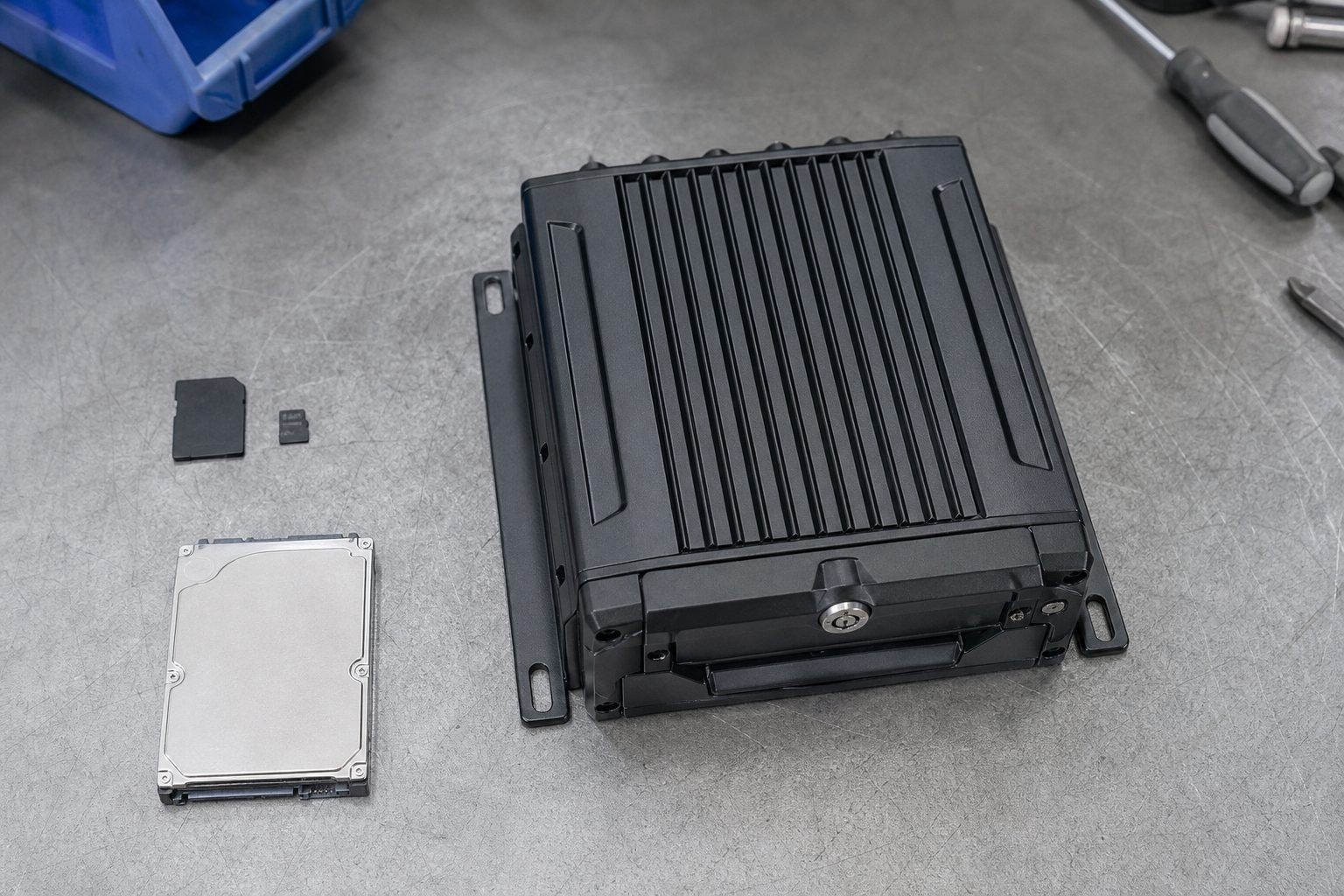
A vehicle is involved in a rear-end collision at 07:15 on the A14. The MDVR has been recording all four cameras continuously, looping every 48 hours on a 256GB drive. The footage from the moment before impact, the impact itself, and the 30 seconds after is exactly what the transport manager needs. Without any driver intervention — without the driver doing anything at all — that footage is locked. It cannot be overwritten.
That is what a G-sensor does. It detects the sudden deceleration of the collision, triggers an event marker in the MDVR, and protects the relevant footage segment from the loop recording that would otherwise overwrite it. The G-sensor is the mechanism that makes MDVR footage reliably retrievable after incidents rather than contingent on whether anyone remembered to manually extract the drive before the loop cycle deleted it.
This article explains how G-sensors work, what they detect, how sensitivity settings affect what gets flagged, and what fleet managers need to understand about G-sensor behaviour to get the most from it.
G-sensor stands for gravity sensor. In practice, it is a three-axis accelerometer — a device that measures changes in acceleration across three planes: forward and backward (Y-axis), left and right (X-axis), and vertical (Z-axis). In a vehicle, each axis maps to a different type of event: the Y-axis detects hard braking and harsh acceleration; the X-axis detects sharp cornering and lane-change impacts; the Z-axis detects vertical jolts — speed bumps, kerb strikes, or a heavy impact from above.
The G-sensor is built into the MDVR unit or, on some systems, into a separate sensor module. It runs continuously whenever the MDVR is powered. The reading it produces is a measurement of g-force — the force experienced relative to freefall. Normal driving on a smooth road produces readings close to 1g (gravity). Hard braking from motorway speed can produce 0.5–0.8g. A significant collision can produce several g.
The MDVR operator (or the system integrator at installation) sets a sensitivity threshold — the g-force value above which the system flags an event. When the G-sensor reading exceeds this threshold, the MDVR does three things in rapid sequence:
1. Marks the current timestamp. The moment the threshold is crossed is recorded with precise time and GPS position.
2. Locks the relevant footage segment. Footage from a configurable window before and after the trigger is locked — typically 15–30 seconds before the event and 15–60 seconds after, though this varies by system. Locked footage is written to a protected area of the storage and excluded from the loop recording overwrite cycle.
3. Sends an alert (on connected systems). An MDVR with a 4G SIM and connected fleet platform sends an event notification to the transport manager’s dashboard immediately. On some systems, the locked clip is automatically uploaded to the platform so it is available for review within minutes of the event.
The sequence from G-sensor trigger to event marker takes approximately 200 milliseconds — fast enough to capture the moment of impact rather than the aftermath only.
A question that comes up regularly when fleet managers review their MDVR event logs is why some events appear flagged and others do not. The G-sensor does not recognise incident types — it measures force. Whether a flagged event is an incident, a pothole, or an aggressive braking manoeuvre depends on the g-force produced, not on what actually happened.
Events that typically exceed threshold at medium sensitivity settings:
Hard braking: Rapid deceleration above threshold triggers a Y-axis event. On an HGV, the braking forces are different from a passenger car — a heavily loaded artic decelerates more slowly than a van. Sensitivity calibrated for a car may not trigger for HGV braking profiles at the same severity level.
Impacts: Side or rear impacts exceed threshold on the relevant axis. The G-sensor distinguishes which axis was primarily triggered, which helps indicate the direction of force in an incident review.
Harsh cornering: Sharp lateral movement triggers the X-axis. For vehicles on winding rural routes, this may produce frequent triggers that are not incidents — which is why sensitivity calibration matters.
Kerb strikes and road surface: On poor road surfaces — potholes, rail crossings, unmaintained site roads — the Z-axis can trigger frequently if sensitivity is set too high. For HGVs operating on construction site access roads or in agricultural settings, high Z-axis sensitivity produces event noise rather than useful incident data.
G-sensor sensitivity is the most important setting for fleet managers to understand, because getting it wrong in either direction creates problems.
Sensitivity set too high (too sensitive): The event log fills with false triggers — normal road events, speed bumps, rail crossings, loading ramps. The transport manager’s event feed becomes a noise source rather than a signal. Genuine incidents are buried in hundreds of road-surface events. Drivers become frustrated because normal driving behaviour appears flagged.
Sensitivity set too low (too insensitive): Genuine incidents — a rear-end impact, a kerb strike during a tight reversing manoeuvre — may not reach the threshold. The footage is not locked. If the loop cycle overwrites the relevant segment before anyone extracts it, the evidence is gone.
The correct calibration depends on the vehicle type and operating environment. For HGVs on motorway and A-road trunking routes, medium sensitivity is typically appropriate — the road surface is generally consistent and hard braking events are genuinely significant. For vehicles operating on urban sites or construction roads, lower sensitivity on the Z-axis with higher sensitivity on Y and X is a more useful profile. Most commercial MDVR systems allow axis-specific sensitivity adjustment.
When a new installation is live, it is worth reviewing the event log after the first week of operation and adjusting the sensitivity based on actual trigger frequency. If there are hundreds of daily events on a vehicle making normal runs, the sensitivity is too high.
A common question when fleet managers are setting up MDVR systems is whether G-sensor event locking replaces the need for manual footage extraction. The answer is that they serve different purposes.
G-sensor locking is automatic and happens in real time. It protects footage from incidents the driver does not or cannot manually flag — a rear-end impact on the motorway, a hit-and-run in a car park, a kerb strike the driver may not have noticed. For incident defence, the G-sensor is the mechanism that makes evidence retrieval reliable rather than dependent on anyone remembering to extract footage before the loop overwrites it.
Manual extraction is still needed for incidents that do not generate sufficient g-force to trigger the sensor — a pedestrian near-miss, a traffic dispute that does not involve contact, a footage request for a third-party claim at a location the vehicle passed through earlier in the day. For these, a connected MDVR that allows footage requests from the fleet platform is the practical solution: the transport manager requests the relevant time and camera position, and the MDVR transmits the segment over 4G.
On a connected MDVR fleet platform, G-sensor event data serves a second purpose beyond individual incident management: it provides a fleet-level view of driver behaviour. Harsh braking frequency, cornering events per route, and impact counts by vehicle can be reviewed as aggregated data.
Used correctly, this data supports driver coaching conversations with specific evidence. “Your vehicle triggered 14 harsh braking events on this run, with three above the high-severity threshold between junctions 12 and 16” is a different conversation from “you need to drive more carefully.” The G-sensor data gives the fleet manager the specific, timestamped evidence that driver coaching conversations benefit from.
Used incorrectly — publishing raw event counts without context, or flagging every trigger as a disciplinary matter — it erodes driver trust in the camera system and creates pushback on camera use generally. The data is most useful as a conversation starter, not a verdict.
The G-sensor measures changes in acceleration across three axes: forward/backward, left/right, and vertical. When the recorded force on any axis exceeds the set threshold, the MDVR flags an event and locks the relevant footage. It detects hard braking, impacts, sharp cornering, and significant vertical jolts — not incident type, but force magnitude.
Start with the manufacturer’s medium default setting. Review the event log after one week of normal operation. If there are multiple daily triggers on routine runs with no incidents, reduce sensitivity. If a known incident on a smooth road is not captured, increase sensitivity. Vehicle type and operating environment affect the right calibration — HGVs on site roads need different settings from HGVs on motorways.
Yes, on a connected MDVR. The transport manager can request any footage segment by time, date, and camera position from the fleet platform, and the MDVR transmits it over 4G. G-sensor locking protects footage from loop overwrite automatically; manual requests via the platform cover events that did not trigger the sensor.
Locked footage is excluded from the loop recording overwrite cycle. It remains on the drive until manually cleared. Standard practice is to retain event footage until the incident is resolved — claim settled, driver review completed, or confirmed false alarm. Retention beyond purpose creates unnecessary data storage obligations under GDPR.
A G-sensor detects changes in the vehicle’s own acceleration — events experienced by the vehicle. A motion sensor detects external physical movement near the camera — useful for parking surveillance when the vehicle is stationary. MDVR systems typically use G-sensor triggers for in-motion incident detection and may offer separate motion detection for parked vehicle monitoring.
A one-page checklist for setting up and calibrating MDVR G-sensor sensitivity — initial configuration, first-week review, environment-specific calibration, and footage retention protocol.
Related guides: What Is an MDVR and How Does It Work? · 4G vs 5G MDVR Units: Which Is Best for Fleets?
4 August 2026
Monday to Friday:
8.30am-5.30pm

