
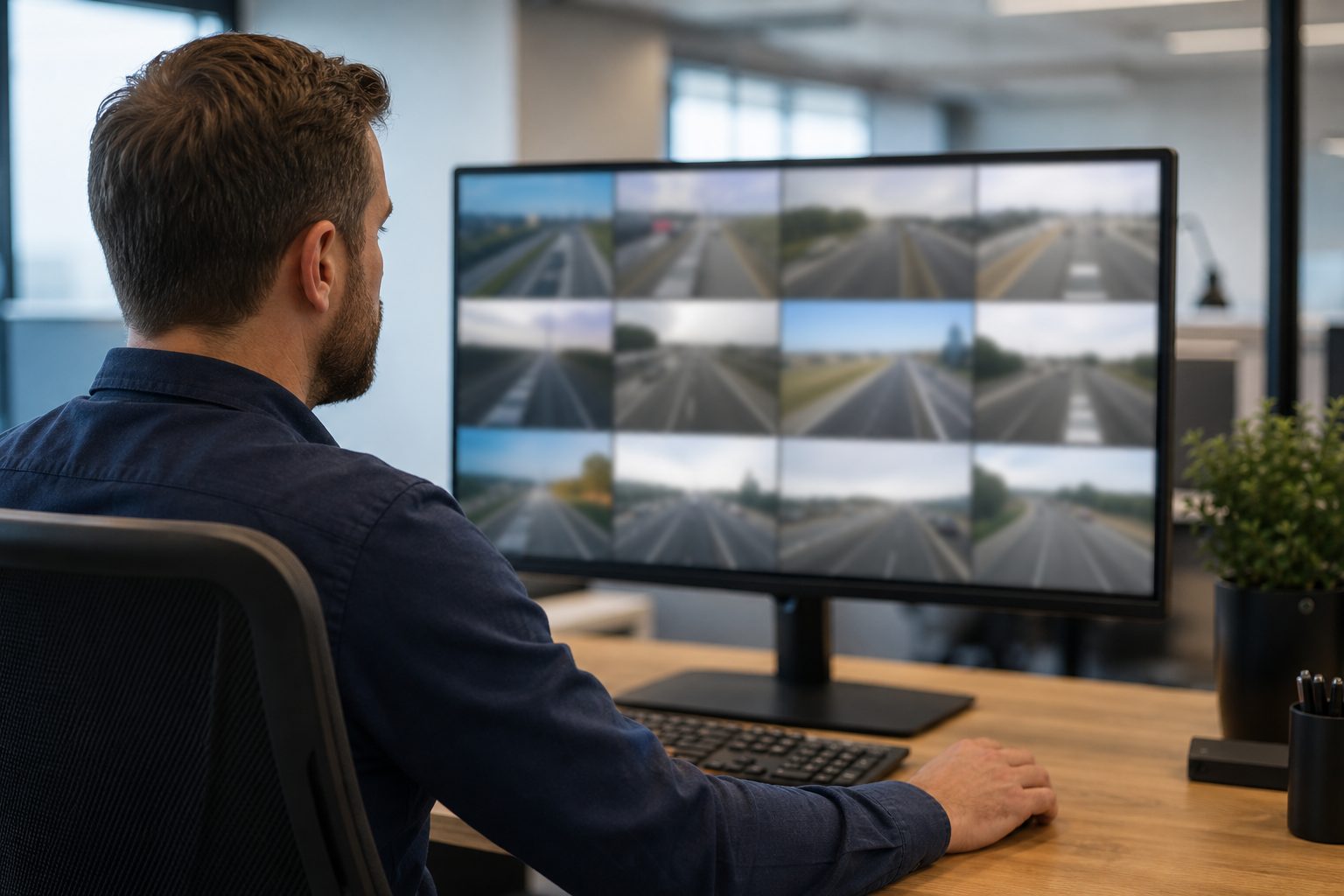
Remote playback = the ability to access and replay historical vehicle journeys, telematics events and recorded video/ tachograph files from anywhere.
How to use remote playback for incident investigation, compliance checks and operational oversight — practical steps, risks and when not to use it. Estimated read time: 8–11 minutes.
Stop wasting time chasing SD cards and emails.
Fleet teams still waste hours retrieving evidence from vehicles. That delay costs claims time, delays compliance checks and frustrates drivers and customers. Remote playback can fix that — when devices, upload strategy and processes are configured and tested together.
This guide is operator-first: it shows what remote playback is, how it works, where it fails, the legal and privacy pitfalls (ICO/DVSA) and a step-by-step implementation plan you can run.
Operator note: “We felt safe until the upload failed” — small errors (split clips, timestamp drift, failed cloud uploads) cost days of admin and sometimes legal exposure.
Remote playback is the ability to retrieve and replay historical vehicle data — including dashcam video, telematics tracks and tachograph files — from a central system without physically accessing the vehicle. Unlike live view, playback is about stored data: replay, export and evidence.
What counts as “playback”
Playback involves retrieving archived data (from device storage or cloud) and presenting it with metadata (timestamp, GPS, vehicle ID). It is not the same as real-time streaming.
Understanding the data flow helps spot failure points. Below is a practical, operator-focused walkthrough with checks and a troubleshooting tip for each stage.
What it is: Cameras (front/cabin/rear), telematics/OBD devices, digital tachograph heads and mobile apps capture the raw inputs.
What to check: Confirm device model, channel count (front/cabin/rear), and whether the tachograph integrates directly with your platform.
Troubleshooting tip: If driver-facing camera clips are missing, confirm driver-ID binding and that the cabin channel is enabled.
Operator check: List device models and enabled channels for 3 representative vehicles.
What it is: On-device storage like SD cards or eMMC provides a rolling buffer and may store event clips separately.
What to check: Verify SD type (high-endurance), maximum supported size and auto-overwrite policy.
Troubleshooting tip: If files corrupt, test a new high-endurance card and reformat per vendor instructions.
Operator check: Inspect a sample SD card and confirm format and endurance class.
What it is: LTE/5G/Wi‑Fi or scheduled batch uploads move clips off the vehicle. Uploads may be event-driven (immediate) or scheduled (on return-to-depot).
What to check: Confirm SIM plan, upload policy and whether queued uploads resume reliably after offline periods.
Troubleshooting tip: For vehicles that park in low-signal areas, set clips to queue and test a 12-hour offline upload scenario.
Operator check: Review upload policy and run a queued-upload test on one vehicle.
What it is: Server-side ingestion accepts uploaded files (common containers MP4/TS — MP4 stores video+audio; TS is a streaming transport), extracts metadata (GPS, timestamp, vehicleID) and indexes clips.
What to check: Confirm supported file types, whether GPS is embedded in the clip container and how quickly indexing occurs.
Troubleshooting tip: If metadata is missing in playback, compare device timestamp vs cloud index to isolate ingestion vs device problems.
Operator check: Upload a test clip and confirm GPS/timestamp appear in the cloud player.
What it is: Web or app players provide scrub, export, multi-camera sync, metadata overlay and API access for integrations.
What to check: Test scrub speed, multi-camera sync, export hash and embedded metadata presence.
Troubleshooting tip: If clips don’t align, check for clock drift and whether the system supports offset correction.
Operator check: Run a synchronized front+cab event and validate alignment and export hash.
What it is: Practical limits — latency, bandwidth caps, clip fragmentation, clock drift and potential file corruption on power loss.
What to check: Measure event-to-availability time and inspect for split clips or timestamp drift.
Troubleshooting tip: If uploads are slow, check carrier throttling and consider lowering continuous bitrate or switching to event-only high-res uploads.
Operator check: Run an event and measure upload time in both good and poor signal locations.
What it is: Hot vs cold storage, retention policies and legal-hold (WORM/write-protect) determine how long clips stay available and how they can be preserved.
What to check: Confirm retention times, hot storage cost and legal-hold capabilities.
Troubleshooting tip: If older clips are missing, verify automatic purge settings and legal-hold overrides in the console.
Operator check: Review retention rules for a sample vehicle and test placing a clip on legal hold.
Operator note: “Uploads fail on poor signal areas — we queue and watch the cloud status to confirm arrival.”
Use this table to compare major approaches and decide what fits your fleet.
| Approach | What it gives you | Best for (fleet profile) | Speed (time-to-access) | Reliability (common failure modes) | Compliance friendliness | Data cost (bandwidth/storage) | Typical price range / relative cost |
|---|---|---|---|---|---|---|---|
| Cloud remote playback (dashcam+cloud) |
|
Urban delivery, high-risk fleets, compliance-heavy ops | Fast (minutes to hours) | Typical failing mode: upload stalled / incomplete cloud upload | Good (if retention/audit present) | High (continuous or event uploads) | Medium–High |
| Local/manual SD-card retrieval |
|
Low-incident fleets, rental/multi-vehicle drivers | Slow (hours to days, depends on retrieval) | Typical failing mode: missing/corrupted SD cards | Ok (manual chain-of-custody needed) | Low | Low |
| Telematics-only journey replay |
|
Long-haul fleets, low-privacy concern operations | Fast (minutes) | Typical failing mode: no video to corroborate incidents | Poor for video evidence (but good for tachograph metadata) | Low | Low–Medium |
| Remote tachograph download |
|
Operators needing periodic DVSA compliance | Medium (minutes to hours once scheduled) | Typical failing mode: failed handshake with head unit | High (meets tachograph requirements if configured) | Low–Medium | Medium |
| Hybrid (onsite + cloud) |
|
Fleets in mixed-signal environments | Medium (cloud fast for events; SD requires retrieval) | Typical failing mode: config mismatch between local and cloud retention | Good (if policies match) | Medium | Medium |
Key takeaways:
Cloud remote playback is best where fast evidence and central workflows matter and you accept ongoing data costs. Local/manual is cheap but fragile—good for occasional use. Telematics-only suits tracking and ETA needs but lacks video evidence. Hybrid models help fleets with intermittent connectivity.
Short answer: yes — remote playback materially speeds up many investigations — but it is only as reliable as the weakest link (device config, connectivity, retention policy and human process).
Note: illustrative scenario — replace with anonymised Backwatch customer metric where available.
Limitations and common failures:
Evidence is strongest when device, upload policy, retention and process are configured and tested. Replace illustrative scenarios with Backwatch data where available (SOURCE REQUIRED).
Use this short checklist and matrix to self-select.
Quick decision checklist (answer yes/no)
| Fleet type | Recommended approach | Rationale |
|---|---|---|
| Urban last-mile delivery | Cloud remote playback (dashcam+cloud) | High incident density, tight SLA, need for POD evidence |
| Long-haul / poor connectivity | Hybrid or telematics-first | Use telematics for tracking; schedule tachograph downloads; use portable cameras for key runs |
| High-risk (tankers, tippers) | Cloud + legal-hold capability | Need fast evidence and strong retention for safety incidents |
| Small fleet (<5 vehicles) | Evaluate cost vs frequency; hybrid or local-first | If incidents are rare, SD/manual may suffice; scale to cloud if incident rate justifies cost |
Operator note: “We run long-distance routes with poor signal — cloud uploads take days. Hybrid saved us money and gave fallbacks.”
ROI considerations: operational time saved, fewer SD-card retrievals and lower penalties when tachograph downloads are available on-demand. (SOURCE REQUIRED for quantified ROI figures.)
Operator note: “We got a DSAR and panicked — having a practiced runbook made the export painless.”
Legal caveat: check with legal counsel and current DVSA/ICO guidance for compliance specifics.
This 10-step HowTo plan is written so operators can execute it. Each step includes objective, required actions, success criteria and expected time-to-complete.
Objective: Prioritise what playback must solve (investigation, compliance, POD).
Actions:
Objective: Know what you have (device list, storage type, upload policy).
Actions:
Objective: Ensure playback is useful (vehicle ID, timestamp, GPS, driver ID, event tags).
Actions:
Objective: Align retention with law & operational need.
Actions:
Objective: Pick cloud-only / hybrid / onsite archive.
Actions:
Objective: Balance cost and evidence availability.
Actions:
Objective: Limit access and provide auditable exports.
Actions:
Objective: Build trust and ensure processes are followed.
Actions:
Objective: Confirm system works under common failure modes.
Actions:
Objective: Make it repeatable.
Actions:
Operator tip: Test uploads in low-signal areas — many vendors handle queued uploads differently.
Technical checklist (10-point)
Case ID: Incident time: Vehicle ID: Driver: Clips exported (links): Exported by: Export timestamp: Hash/checksum: Reason for export: Legal hold applied? (Y/N) Notes/actions taken:
Operator note example entry: “Claim ref: A123 — upload links: https://… — exported by J. Smith — hashed file attached.”
Myths & common misconceptions
Myth 1: “Remote playback captures everything, all the time.”
Reality: Event thresholds, storage limits and connectivity can create gaps.
Why it matters: Assume gaps exist; implement SD fallbacks and test uploads.
Operator action: Run simulated offline scenarios and review clip arrival rates.
Myth 2: “Video proves guilt.”
Reality: Video is evidence but context and metadata matter; chain-of-custody is essential.
Operator action: Export with hash, GPS overlay and accompanying telematics log.
Myth 3: “Cloud playback avoids legal risks.”
Reality: Data protection rules still apply; cloud storage does not remove GDPR/ICO obligations.
Operator action: Publish privacy notice and conduct a legitimate-interest assessment.
Myth 4: “Higher bitrate is always better.”
Reality: Higher bitrate improves forensic detail but increases data costs and upload time.
Operator action: Configure dual-quality settings if vendor supports them (low-res continuous, high-res on event).
Operator note: “We felt safe until the upload failed” — always test and assume failure modes.
Alternatives & when not to use remote playback
Alternatives include onsite download and forensic analysis, telematics-only replay, third-party evidence services and customer-signed POD.
When not to use remote playback:
- Fleets with very low incident rates and constrained budgets — local-only may be more cost-effective.
- Operations with persistent low connectivity and no viable hybrid approach.
- Privacy-sensitive contexts where driver-facing footage cannot be justified.
If X Consider Y Vehicles park in low-signal rural areas Hybrid (SD + scheduled uploads at depot) Require fast evidence and have high incident frequency Cloud remote playback Driver privacy is legally or culturally sensitive Telematics-only or non-driver-facing solutions Operator objection: “We don’t want cameras inside cabs.” Alternative: use forward-facing only and telemetry for driver scoring.
Security hardening checklist
- RBAC with least privilege.
- MFA for all accounts with playback/export rights.
- Transport encryption: TLS 1.2+ (prefer TLS 1.3).
- Encryption at rest for stored clips.
- API key rotation and least-privilege API scopes.
- SIEM integration for suspicious activity alerts.
- Regular access audits (quarterly).
- Tamper detection on devices and alerts for power loss.
- WORM or write-protected archival for legal holds.
- Export logging: who/when/why + hash recorded.
Operator note: “We found an ex-employee still had access” — run access reviews monthly.
UI/UX features to require in vendors
Top operator-priority features (in order):
- Fast scrub and reliable seek (no long buffering).
- Multi-camera sync across channels.
- Metadata overlays (speed, GPS, timestamp).
- One-click export with embedded hash and export audit log.
- Clip stitching and on-demand truncation.
- Bulk export & legal-hold toggle.
- Role-based visibility (hide driver-facing for non-privileged users).
- Redaction tools for privacy requests.
- Download speed and success metrics in demo.
- In-app firmware update and device health dashboard.
RFP test scenarios to run in demo:
- Retrieve a 30s parking-mode clip from a vehicle that was offline for 12 hours.
- Export a synchronized front+cab clip with GPS overlay and validate hash.
- Run a DSAR export and measure time-to-download.
FAQs
Quick answers for operators.
- What is remote playback and how is it different from live streaming?
Remote playback retrieves and replays stored video, telematics and tachograph files from a central system; live streaming shows the vehicle’s camera feed in real time. Playback is for evidence and auditing; live view is for monitoring.
- Can I use remote playback for tachograph compliance?
Yes — remote tachograph downloads can supply driver files for compliance audits when configured correctly. Check DVSA guidance for remote download requirements and best practice. DVSA tachograph guidance.
- What do I do if footage is missing for an incident?
Follow the emergency checklist: document incident, check cloud logs, pull SD card if available, export partial clips with hashes, escalate to vendor, and record actions in the runbook.
- How long should I retain playback footage under UK law?
Retention depends on lawful basis, industry rules and specific requests; there is no single retention period. For tachograph files, follow DVSA requirements. For personal data, follow ICO guidance and document your retention policy. ICO employee monitoring guidance.
- Are driver-facing cameras legal in the UK?
Driver-facing cameras are legal in many circumstances but require a lawful basis (often legitimate interest), transparency, and minimisation. Consult ICO guidance and legal counsel; document balancing tests and retention.
- How secure is remote playback data?
Security depends on the vendor and configuration. Minimums: TLS 1.2+, encryption at rest, RBAC, MFA, audit logs and WORM for legal holds.
- Can playback video be used as evidence in court?
Yes — if chain-of-custody, metadata integrity, and an audit trail are preserved. Forensic admissibility increases with hashed exports and tamper-evident storage.
- How much bandwidth does remote playback use?
It varies: continuous high-res uploads are high-bandwidth; event-driven uploads are lower. Plan data provisioning around event frequency and chosen quality tiers.
Conclusion & next steps
Remote playback gives fleets faster investigations, stronger compliance evidence and better operational oversight — but it’s not a silver bullet. It works best when devices, upload strategies, retention rules and human processes are configured and tested together.
If you manage urban delivery, high-risk vehicles or have regular audits, make playback part of your core toolkit. If your fleet runs long-haul in low-signal areas, start hybrid and test aggressively.
Speak to the Backwatch team to assess your fleet’s remote playback readiness.
If you’re tired of SD cards and late evidence, this is where to start.
Free download: Remote Playback Implementation Checklist (PDF)
Download our free checklist covering the 10-step rollout plan, technical setup, security hardening and emergency footage recovery — everything you need to implement remote playback across your fleet.
Get a free quote
Tell us what vehicles you run and what you need — we will come back with a recommendation and a price. Prefer to talk? Call 01656 721871.
4 August 2026
Monday to Friday:
8.30am-5.30pm

